Passion project
Building & Improving Anduril's EagleEye UX in 24 Hours.

VR/AR/MR

Unity engine
Vibe Coding
Passion project
Building & Improving Anduril's EagleEye UX in 24 Hours.
VR/AR/MR
Unity engine
Vibe Coding
Summary
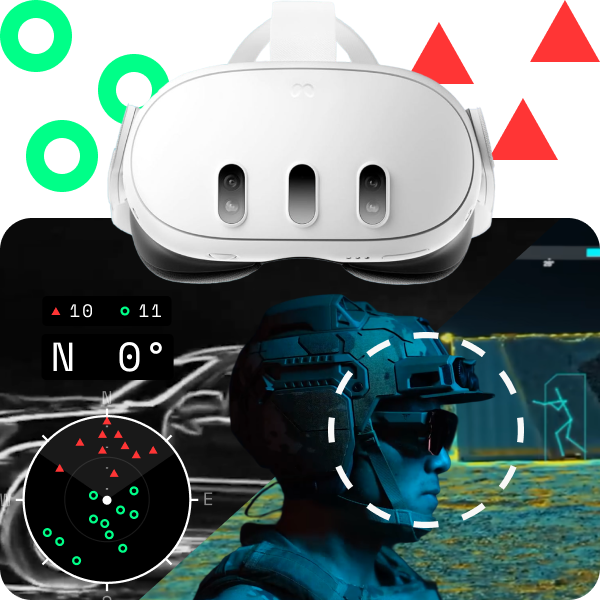
In 24 hours, using Claude AI as an assistant, I designed and built a working mixed reality (MR) prototype of Anduril's “EagleEye” goggles in Unity with zero prior game, VR, or coding experience. Users place friendly and hostile markers around a room, see markers through walls, and track them on a 360° compass and mini-map.
Impact
By my own comparison, my UI improves on Anduril’s demo HUD to support faster decisions under stress, including:
NOTES
ROLE
Owned design of this project, including:
Research + UI design + UX design + Interactive prototyping
COLLABORATORS
Claude (AI): Code + Guidance
INDUSTRY
Technology + Defense
TIMEFRAME
Q3 2026 (24 hours)
Context
Anduril's EagleEye demo depicts mixed reality (where digital things appear over and interact with the real world) to show friendly and hostile positions in real time. I wanted to see if a hobbyist could recreate its core features on a regular headset.
Problems
Anduril's UX
Anduril’s public demo has four usability gaps:
-
▪
Weak orientation.
The compass only shows North, the heading is easy to miss, and nothing helps calculate distance.
-
▪
Manual counting.
Users must count threats by hand, costing time and focus.
-
▪
Color-only markers.
Friendlies and hostiles are identical squares that differ only by color, so they are easier to confuse under stress.
-
▪
Missing intel.
Markers don’t show distance or how old the intel is.
My constraints
My goal was to improve my vibe-coding skills and ship a user-centric VR/AR/MR experience. Three constraints made that hard:
-
▪
No VR or game experience.
I had never used Unity (game engine used to build VR apps), designed for VR/AR/MR, or written code before.
-
▪
Tight timeline.
The build had to fit in about 24 hours, across three 8-hour days to simulate a quick startup environment.
-
▪
Hardware limits.
Real-time see-through-walls is beyond the Quest 3, and true object detection would take too long to build.
Approach
Anduril's UX
To improve on Anduril's HUD, I designed mine around two principles:
-
▪
Do the work for users.
Users under stress shouldn’t have to calculate or interpret anything, so make everything obvious and automatic.
-
▪
Orient at a glance.
Give users clear direction, heading, and range cues so they stay on target and give better callouts.
My constraints
Three ideas kept the build on track:
-
▪
Claude codes, I design.
Claude handles the technical work, and I own the design.
-
▪
Small scope.
Drop features that are too advanced to keep the build under 24 hours.
-
▪
Test early and often.
Adjust the design after each test build to avoid wasted work.

Process
Hours 0–0.5
Claude Setup
I prompted Claude to act as my lead designer and engineer.
“Help me design, code, and test a simple but impressive VR/AR goggle app on my Meta Quest 3. I have no coding experience or game design experience so you will take on the role of lead game designer and software engineer and instruct me what to do in detail. The project will involve some sort of UI from Figma. I need your help coming up with an app idea on the Quest 3 goggles that would interest hiring managers for a job description at Anduril. I have thought about trying to make some sort of object tracking system to mimic their Eagle Eye product. I prefer to build the project in Unreal Engine but Unity is okay too; if there is another tool that's better please advise me. I would like the project to be done in 3 days or less if possible.”
Hours 0.5–2
Gathering Requirements
Real-time see-through-walls and true object detection were out of reach, so I cut the scope to:

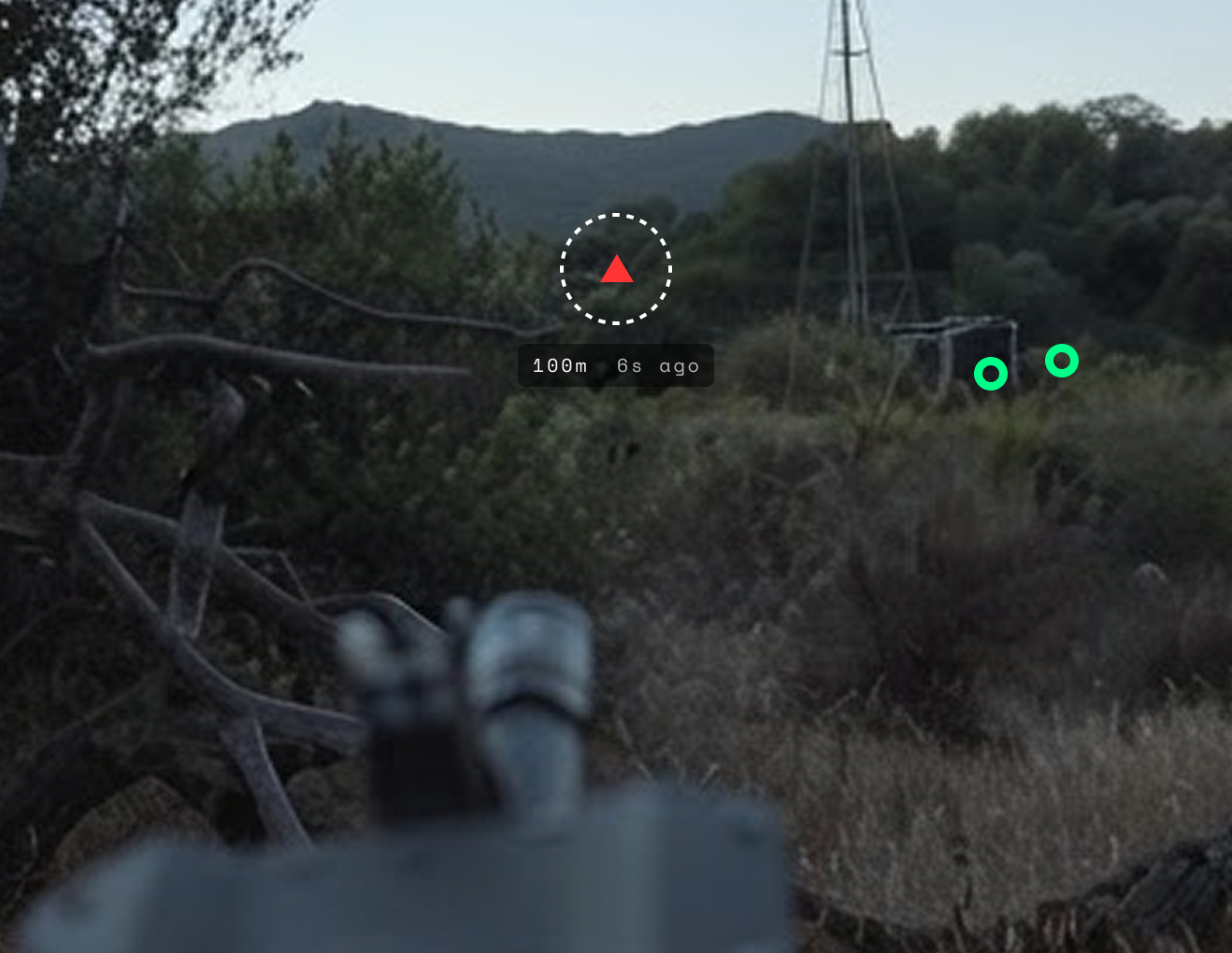
Anduril's public EagleEye demo: Marking locations

Anduril's public EagleEye demo: See-through objects (not within the scope of this project or the capabilities of the Quest 3)
I sized the HUD at 1700 x 1500, inside the headset's 2064 x 2208 view, to keep elements near the center of vision.
Hours 2–4
Designing in Figma
Figma Make's three prompted attempts came out too light, too small, too detailed, and poorly grouped.
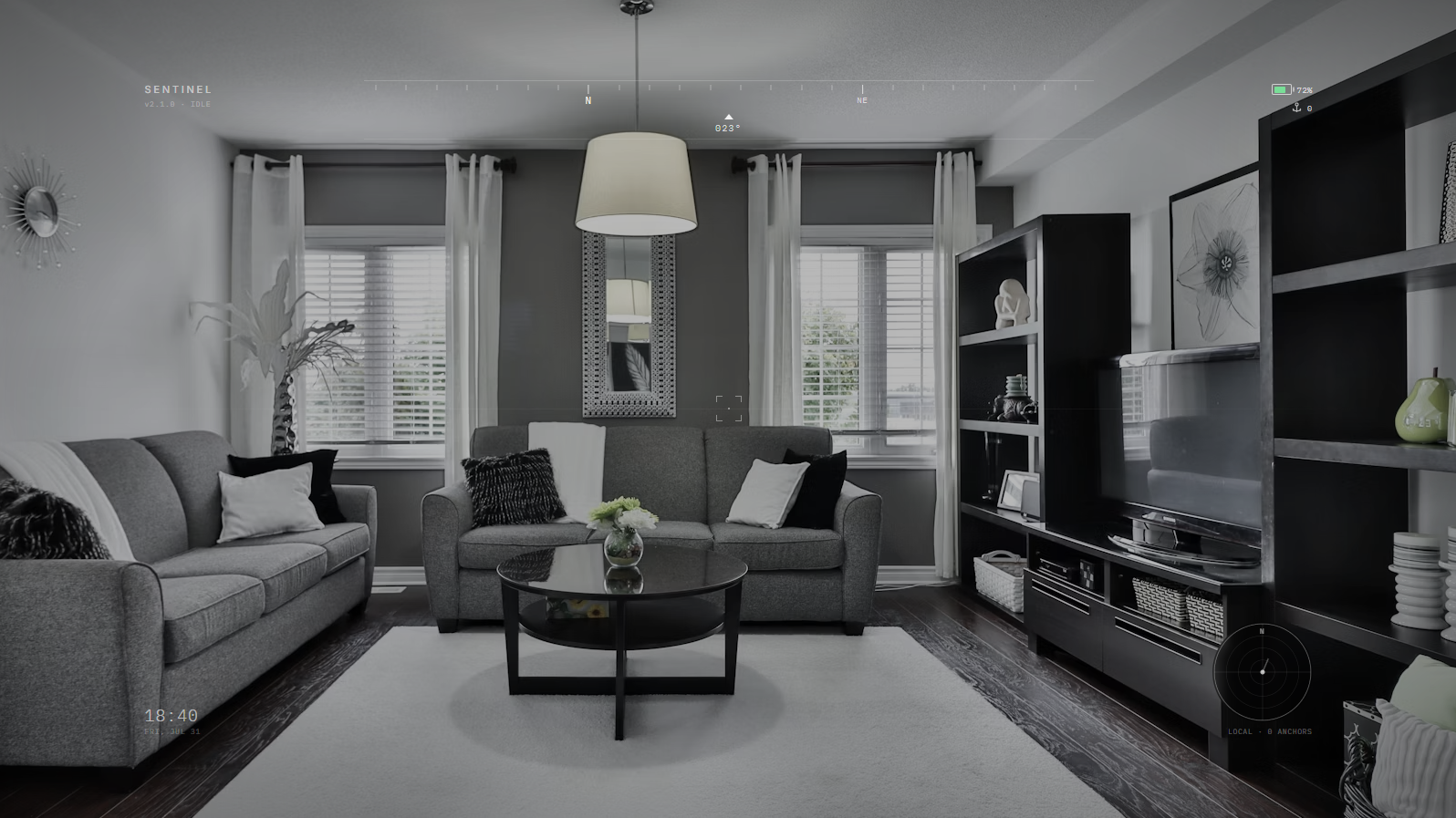
The first Figma Make iteration. The HUD is too light and small.

The second Figma Make iteration. Better but legibility is poor.
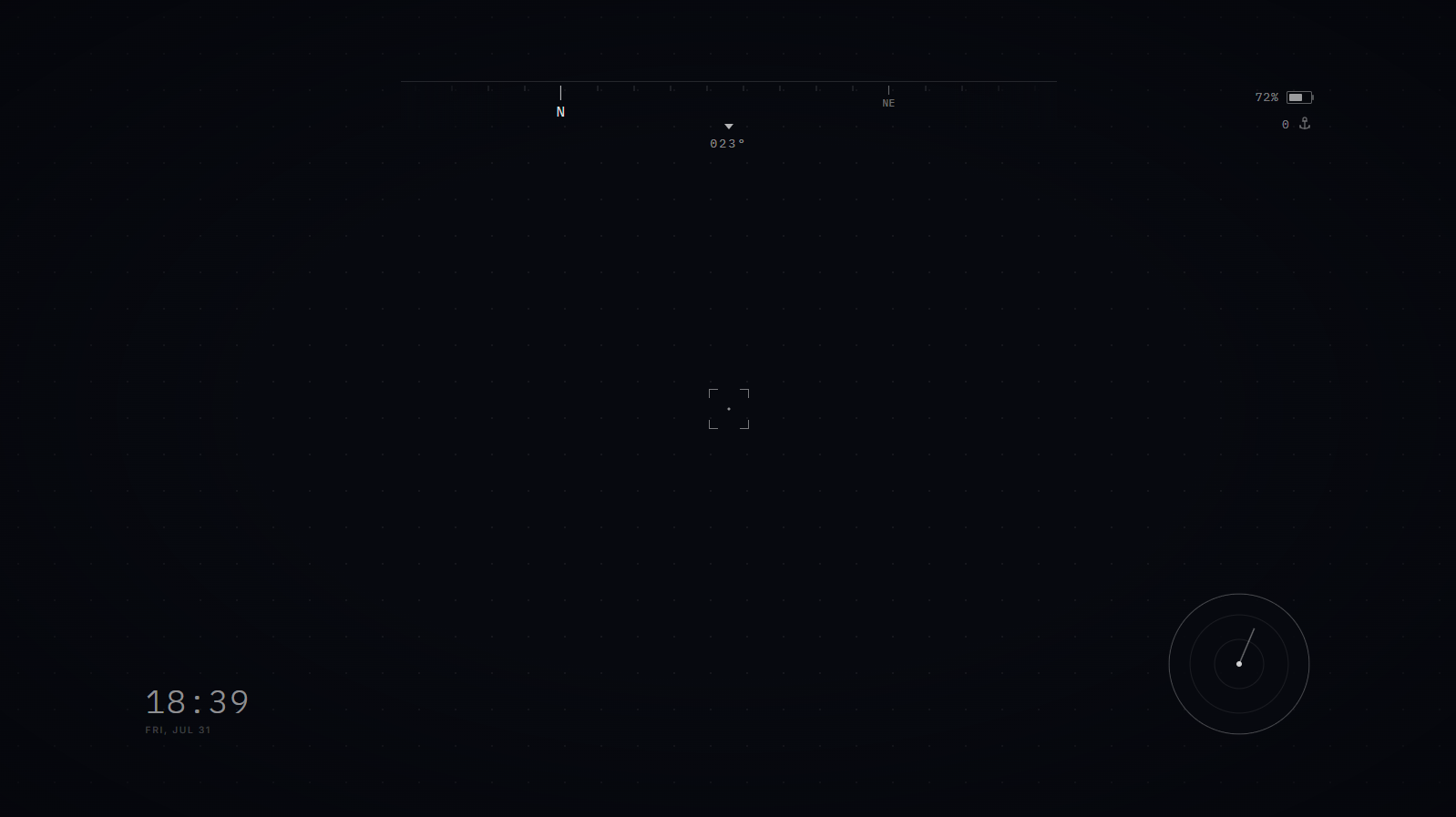
The final Figma Make iteration. The HUD is still too light and small, and it's not grouping elements together logically.
AI designs only help if they are designed well, so I designed the HUD by hand and connected Figma to Claude.

My initial hand-designed Figma HUD. It changed after testing the first prototype.
Hours 4–6
Unity Setup
I set up Unity and Meta's VR toolkit with Claude, which gave us passthrough (seeing the room through the headset) and hand tracking.

Hours 6–14
Building Core Functionality
Claude suggested building the compass first, then the tagging functionality: place markers on real walls, keep them fixed, and dim them when blocked. By day two, I had a simple prototype to test.

Early version of the compass in Unity

Testing showed it was too tedious: adding a marker meant aiming my head, aiming my finger, and pinching. Removing markers was often painful too.

.png)
Default, Add, Select marker, and Remove cursor states. Too complicated in hindsight.
Hours 14–20
Rework
I replaced that aiming method with a menu that stays on screen: aim at a marker, then point at Add or Delete, and pinch. I cut the cursors from four to two, moved the tally above the compass, and canceled plans to add the top compass because it was redundant.
.png)
Redesigned HUD layout

New, simplified center cursors
Hours 20–24
Test and Polish
Testing led to smaller fixes:
Final Build
The app lets you place hostile and friendly markers in your room, see them through walls, and keep a count of each. Hovering shows a marker's distance and age.

Adding and removing a Hostile Marker on my cat. She deserves it.

Markers change opacity when losing line of sight to prioritize “urgent” threats
A compass with a large heading in degrees and a 360° mini-map show where markers are. Markers pair color with shape: sharp and red for hostile, round and green for friendly. A central dotted line helps users align their view with distant objects. The middle proximity ring helps users estimate distance.

See all marker information in one place at a glance

Markers rotate around the user and change distance as the user moves
A demo menu adds dozens of random markers for testing, and one pinch removes them all.

Adding dozens of random markers for quick demonstration purposes

Removing all world space markers with one pinch
Impact
By my own comparison, my UI improves on Anduril’s demo HUD to support faster decisions, including:
+
Superior compass orientation.
Anduril’s compass labels only North. Mine labels all four directions, so users can orient at a glance.
+
Instantly readable heading.
Mine shows a large heading in degrees, so users can call out an exact bearing. Anduril’s is easy to miss.
+
Easier alignment and range.
A proximity ring estimates distance, and a dotted line helps users align their view with distant objects.
+
Automatic threat count.
Mine counts friendly and hostile markers automatically. Anduril’s has no tally, so users must count by hand and lose focus.
+
Intuitive shape and color.
Anduril’s markers are squares that differ only by color. Mine also differ by shape, likely making them easier to tell apart under stress.
+
Intel age and distance.
Hovering over a marker shows its distance and age, so users can judge the threat and how fresh the intel is instead of guessing.
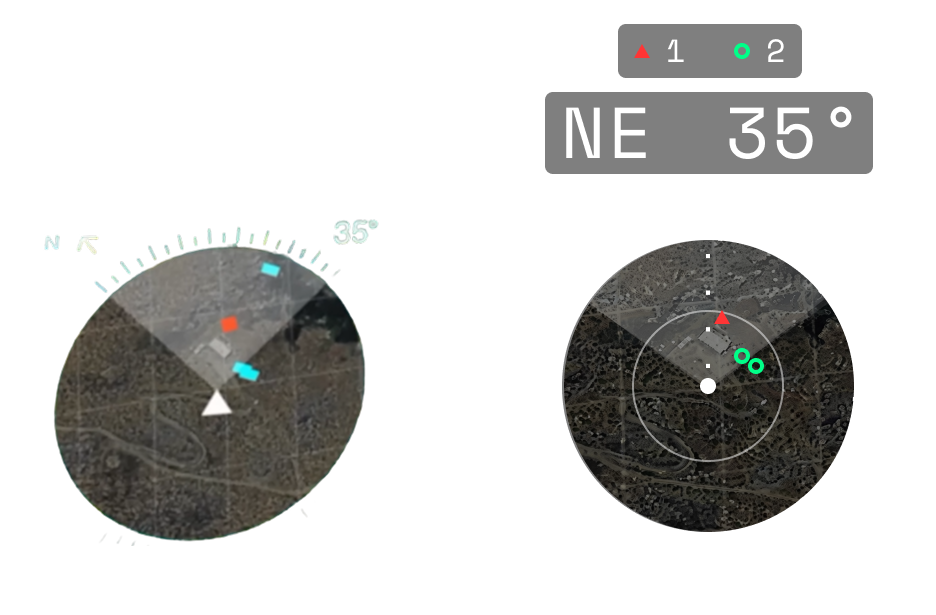
Left: Anduril's public demo
Right: My design
Next Steps...
Here's what I'd do differently in hindsight:
Controller support: The app is hand-tracking only, which is still a bit tedious.
Green to Blue: “Blue” is a standard military term to describe friendly forces, making it a better color for friendly markers.
Placing markers by pointing: Test placing markers where I point with my hand (or controller), instead of where my head aims.
Intro screen: Add a short startup screen with a lightweight tutorial.
Usability testing: Test with other hobbyists.
Contact
Thank you for viewing my work. Schedule a call to go deeper on my workflow and design decisions.