Summary
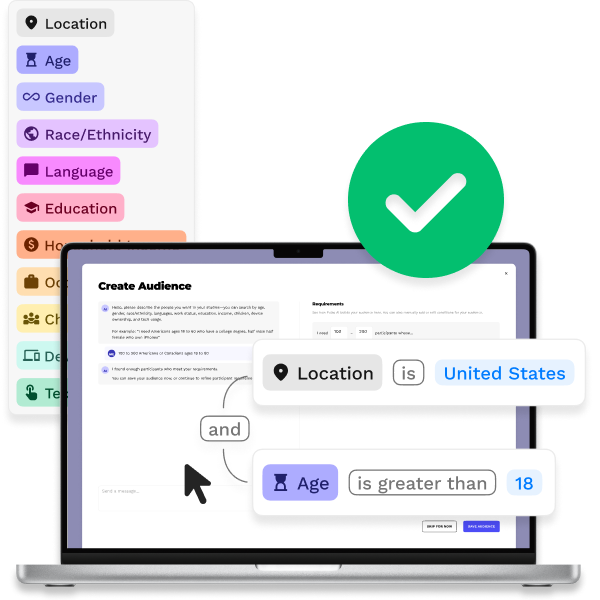
Our research platform was too clunky for clients to build their own studies, so our internal teams had to build them instead, which wasn't sustainable. I designed the Audience Builder, a feature that enabled our clients to filter thousands of potential participants for study recruitment precisely with AI.
Impact
NOTES
ROLE
Owned design of this project, including:
UI design + UX design + Interactive prototyping + Developer handoff
COLLABORATORS
CEO: Product vision
Head of Design: Product vision
Developers: Code + Deployment
INDUSTRY
Technology + UX research
TIMEFRAME
Q1 2025 (2 weeks)
Context
Pulse Labs develops a research platform that connects products with real users. One of the platform’s biggest strengths is a large pool of verified participants eager to take part in our clients’ research studies.
Problems
Systems design
Recruiting participants for a study had three core issues:
-
Unusable UI.
Clients couldn't use the clunky internal recruitment interface, so internal teams built every study.
-
Manual recruiting.
Participants were recruited internally by hand through email, with no fast way to check participant compatibility.
-
Recruitment risks.
Recruiting the wrong participants meant wasted data and dissatisfied clients, a real risk for our retention and reputation.
AI only?
The CEO's fix was to make filtering as easy as an AI prompt. AI can be incredible, but I was concerned about three risks:
-
Unreliable results.
Detailed, ambiguous prompts can be hard for AI to process without re-attempts.
-
No visibility.
Users couldn't see how the AI read their prompt, which erodes trust.
-
Lack of control.
Fixing an AI mistake meant starting over, and wrong participants could ruin a study.
Takeaway: Clients needed AI speed and manual precision in one tool.
Approach
The Head of Design and I agreed AI alone wouldn't serve users, so manual control was necessary. Four ideas shaped the design:
▪
A true SaaS experience.
Replace the slow, hand-built process with a tool clients can run themselves.
▪
AI with manual control.
Lead clients with AI for simplicity, with manual editing one step behind for precision if necessary.
▪
Build trust with visibility.
Show the AI's logic so users can read and edit it, instead of guessing.
▪
Handle edge cases.
Support abstract prompts that don't fit preset categories, and warn when too few participants match.
A quick mockup of AI and manual control working together won over the CEO, who had wanted an AI-only tool initially.
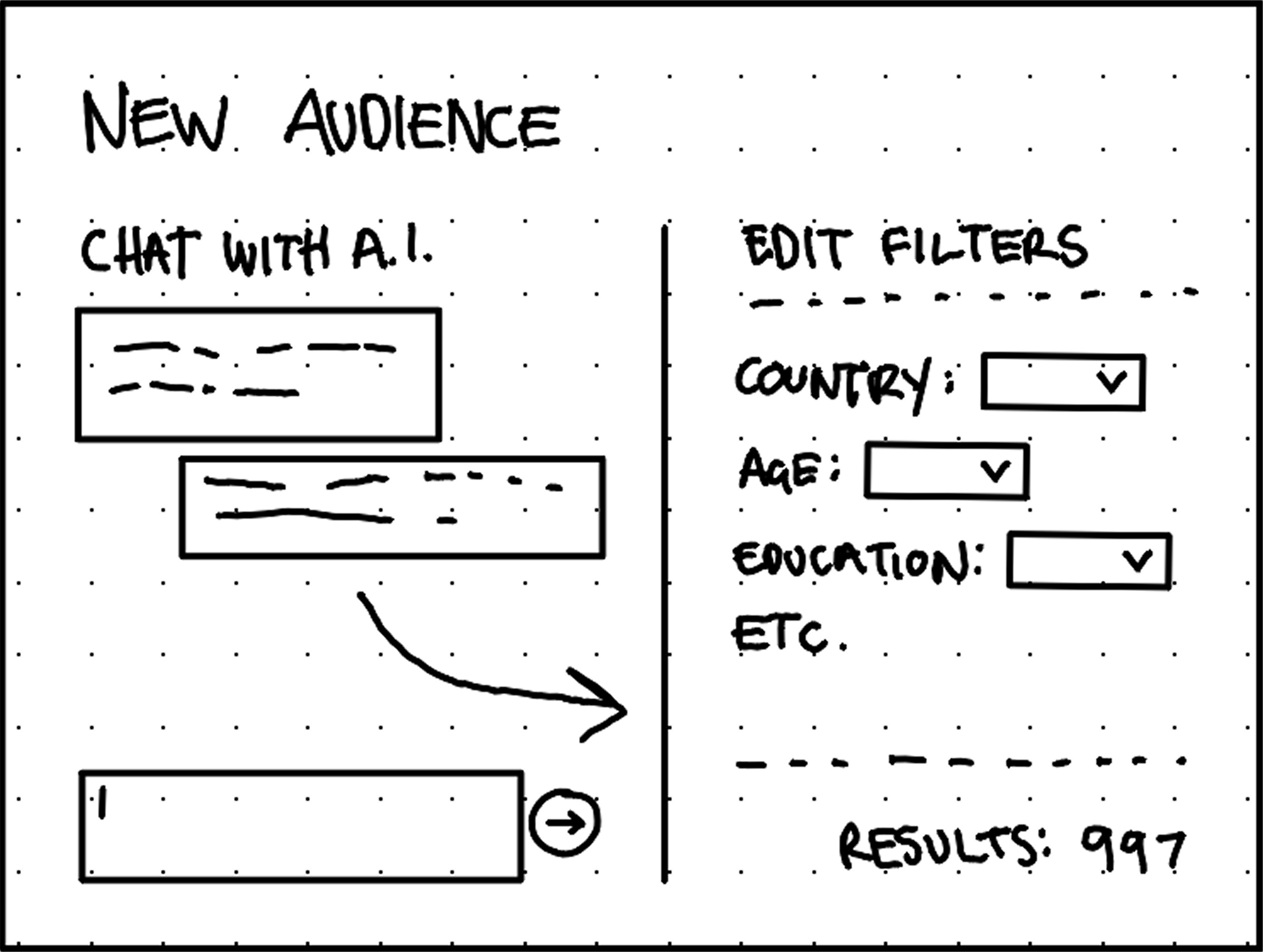
The quick wireframe concept shows filters as independent options and the AI assistant making one-way changes to filters. Spoiler: That would change.
Process
Layout
One panel allows AI prompting and the other panel shows the filters for manual edits. Users can move between them freely to suit their workflow, since one panel at a time felt too restrictive.
Visual logic builder
I chose a visual logic builder over dropdown filters for precision and a clear view of the filter state. Logic reads like everyday sentences instead of confusing, intimidating code.
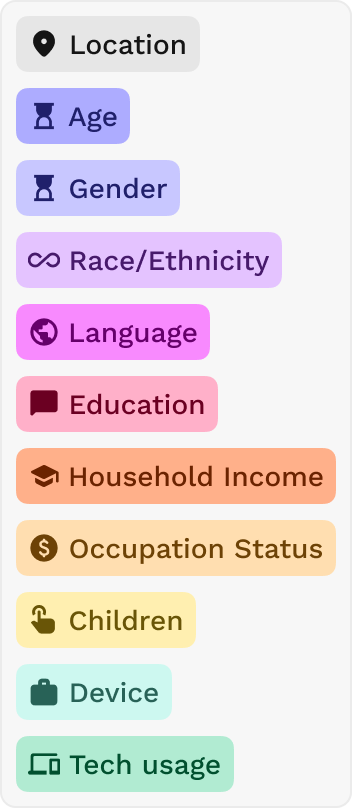
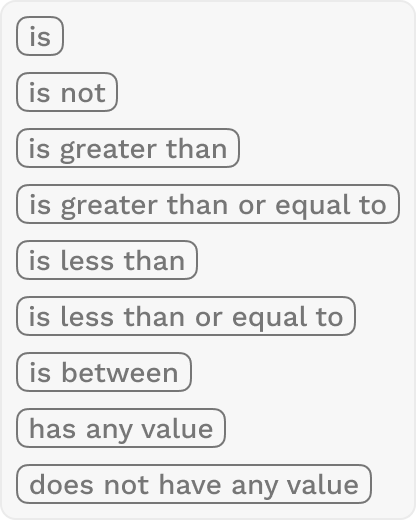
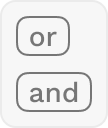
Filtering parameters (and logical operators)

Parameters stack with operators to form logical statements
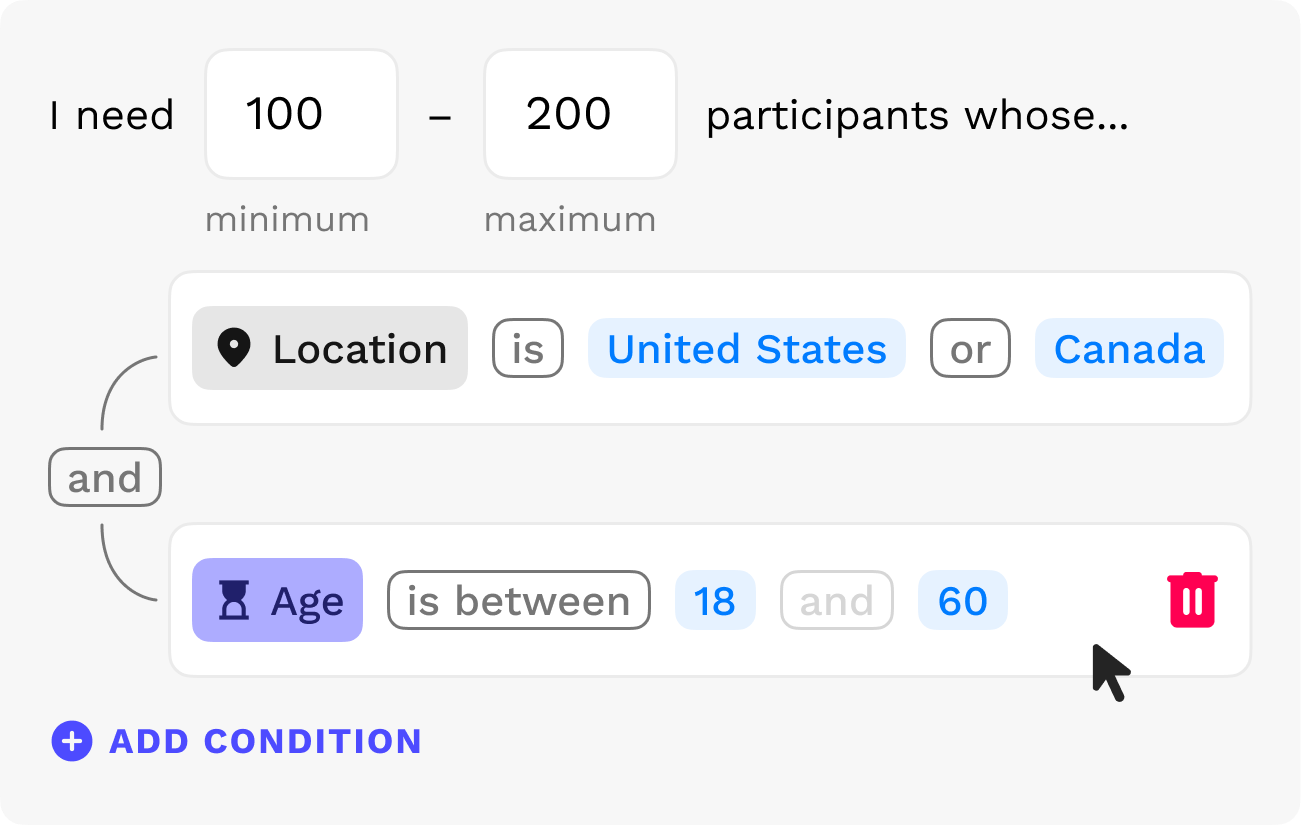
Solution
Users describe the participants they need in plain language. The AI builds the filter logic live in one panel, while a visual logic builder in the other shows every rule and stays editable. The AI checks each change and warns about unclear prompts or too few matches, and a screening survey catches requests the filters can't express.
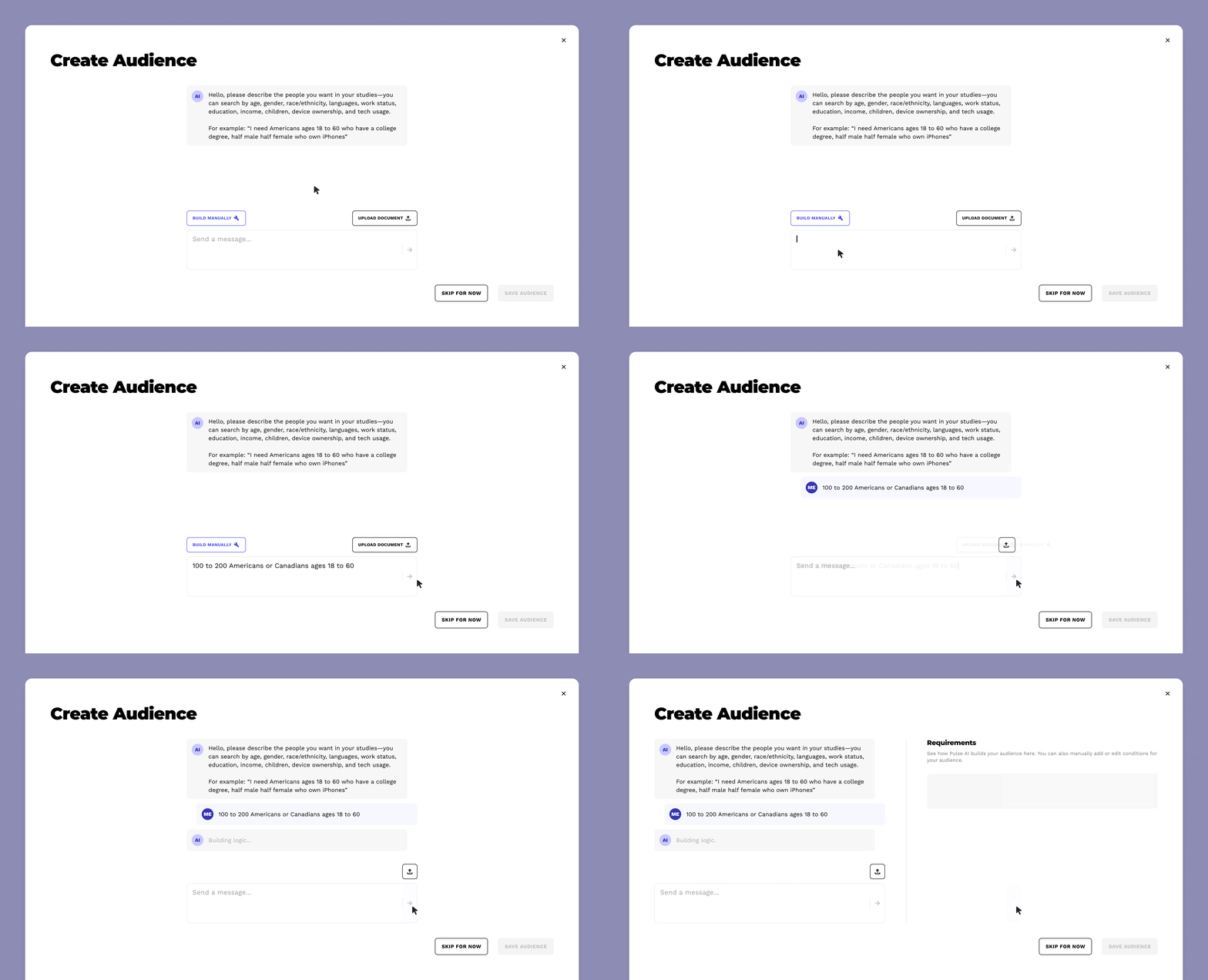
The tool leads with AI, but users can upload a file or skip to manual building
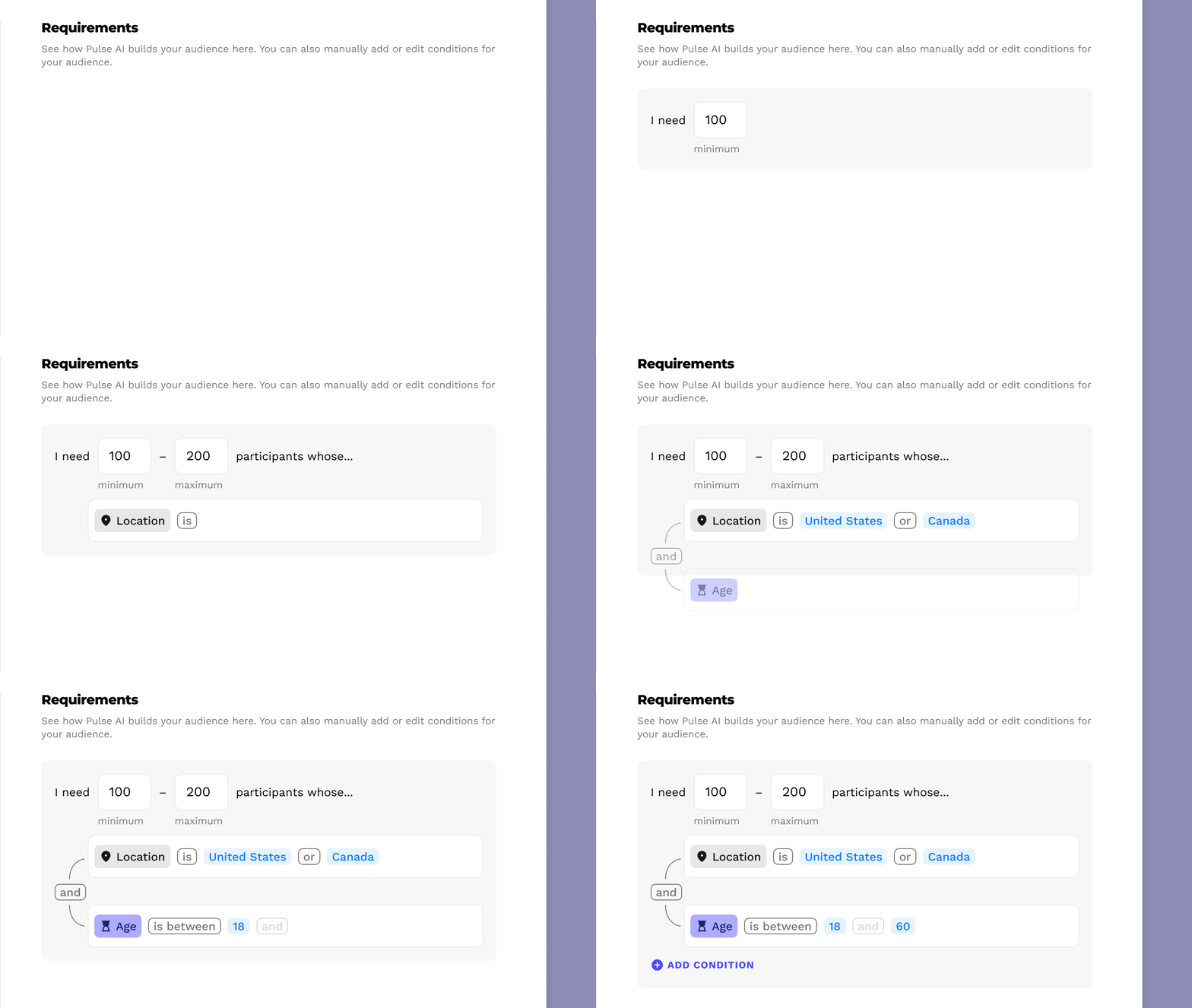
After a prompt, the AI assistant builds the logic visually, building trust and ensuring accurate filters

The AI assistant checks the visual logic for errors and communicates the results back to the user via chat
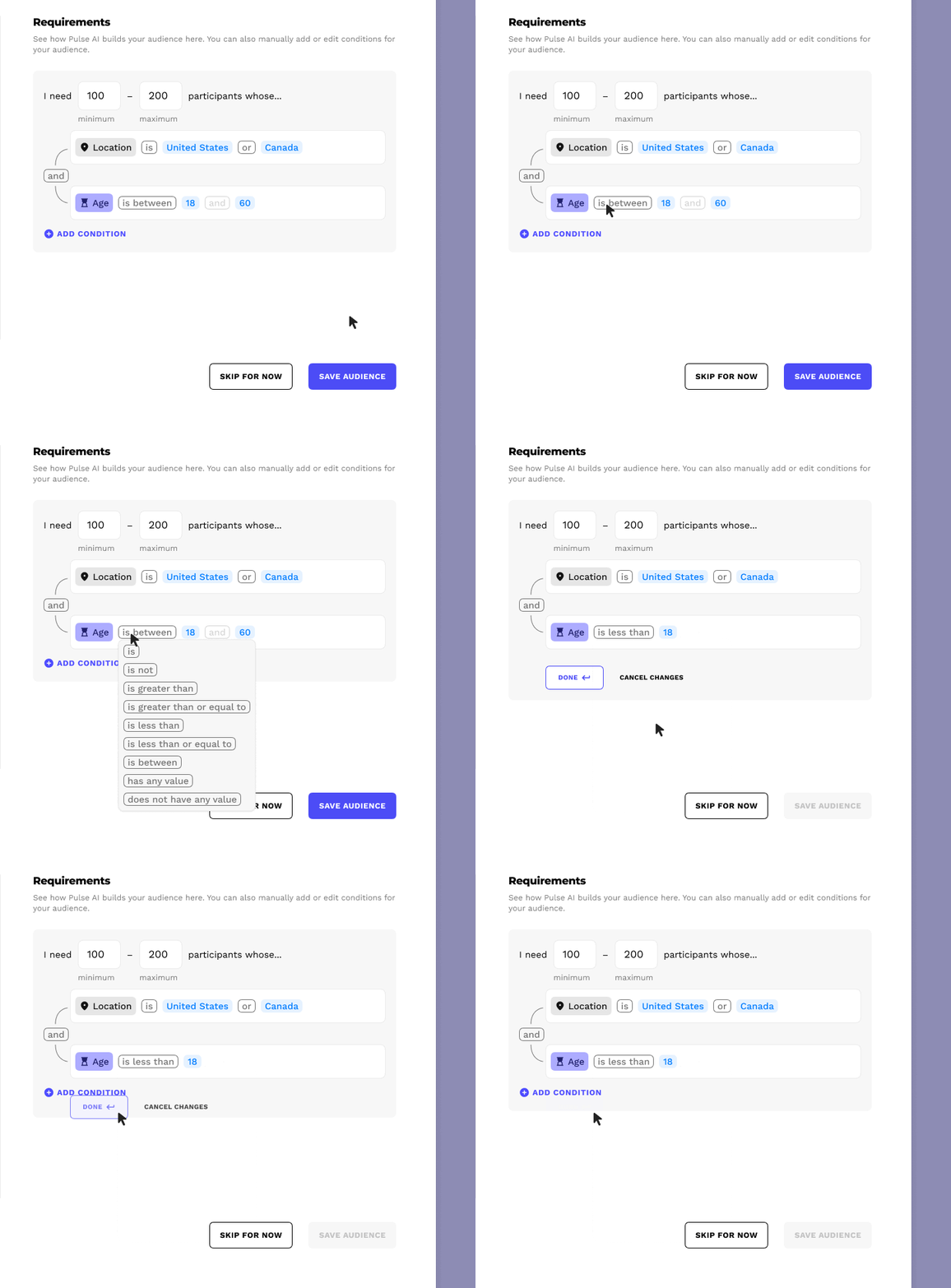
Manual edits are always available
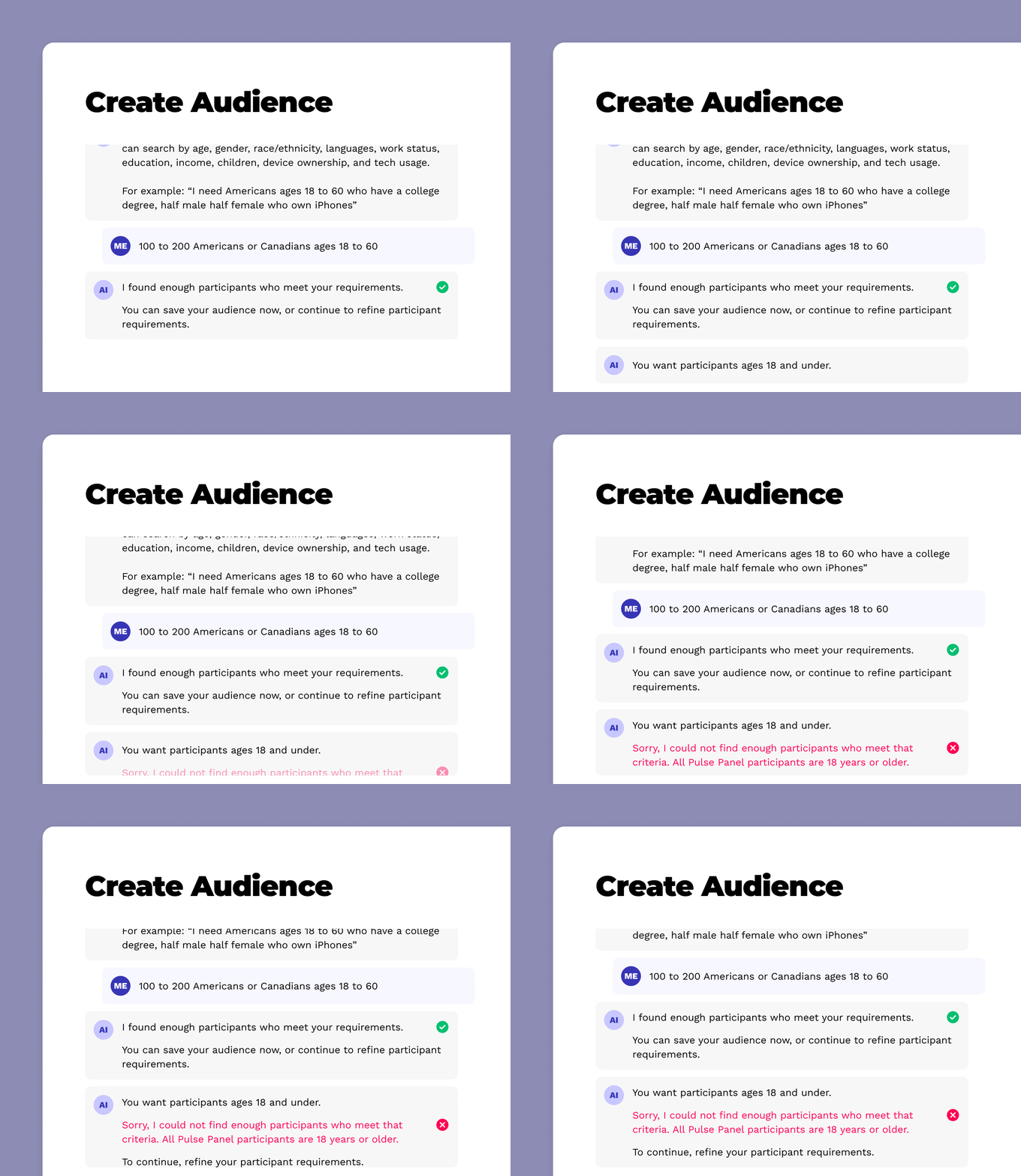
The AI assistant guides users’ manual edits and warns of any issues
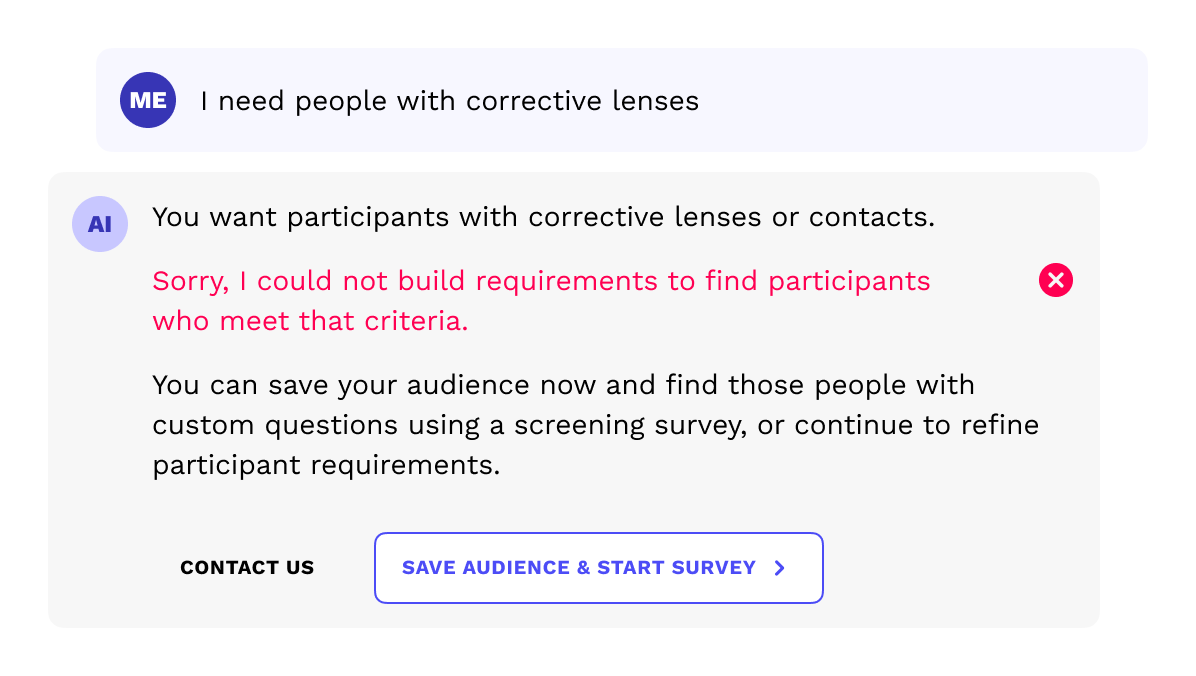
If a user’s prompt can’t be built with our filtering parameters, the AI assistant offers a screening survey
Impact
This feature changed how clients build studies on our platform and introduced AI to our product:
+
▪
True SaaS experience.
Clients build audiences themselves, saving our team hundreds of hours of tedious, manual work.
+
▪
Used by big tech and automakers.
Google, Amazon, Rivian, and Volvo used it to recruit for high-stakes studies.
+
▪
Our first AI feature.
Pairing AI speed with manual precision made filtering more powerful, intuitive, and trustworthy.
Next Steps...
Here's what I'd do differently in hindsight:
Complex requirements: Support more complex logic for extreme edge cases.
Client testing: Test the feature directly with our clients before shipping it.
Contact
Thank you for viewing my work. Schedule a call to go deeper on my workflow and design decisions.