Summary
Study participants couldn't redo a single task during a video recording without restarting all of them, which caused an overwhelming number of support tickets, unusable video data, and frustrated participants. I redesigned the mobile flow and the underlying recording system to improve the participant UX and data quality.
Impact
NOTES
ROLE
Owned design of this project, including:
UI design + UX design + Interactive prototyping + Developer handoff
COLLABORATORS
UX Researchers: Product feedback
Head of Design: Product vision
Developers: Code + Deployment
INDUSTRY
Technology + UX research
TIMEFRAME
Q1 2024 (1 month)
Context
Our studies depend on participants filming themselves doing set tasks in the Pulse Labs app. Before the redesign, the recording flow was one of the most frustrating parts of the product for participants and for the researchers who needed the data.
Problems
The old recording flow had four core issues:
-
Extra apps required.
Participants copied tasks into another app just to remember them.
-
All-or-nothing recording.
They couldn't restart a single task, only restart all of them or submit with errors.
-
Costly mistakes.
Errors led to lost data, support tickets, and people quitting studies.
-
Manual timestamps.
Participants set the start and end times of every task by hand after uploading, a tedious, error-prone process.
Takeaway: The main issue was the underlying recording system, which saved every session as one giant video instead of saving tasks as individual videos.
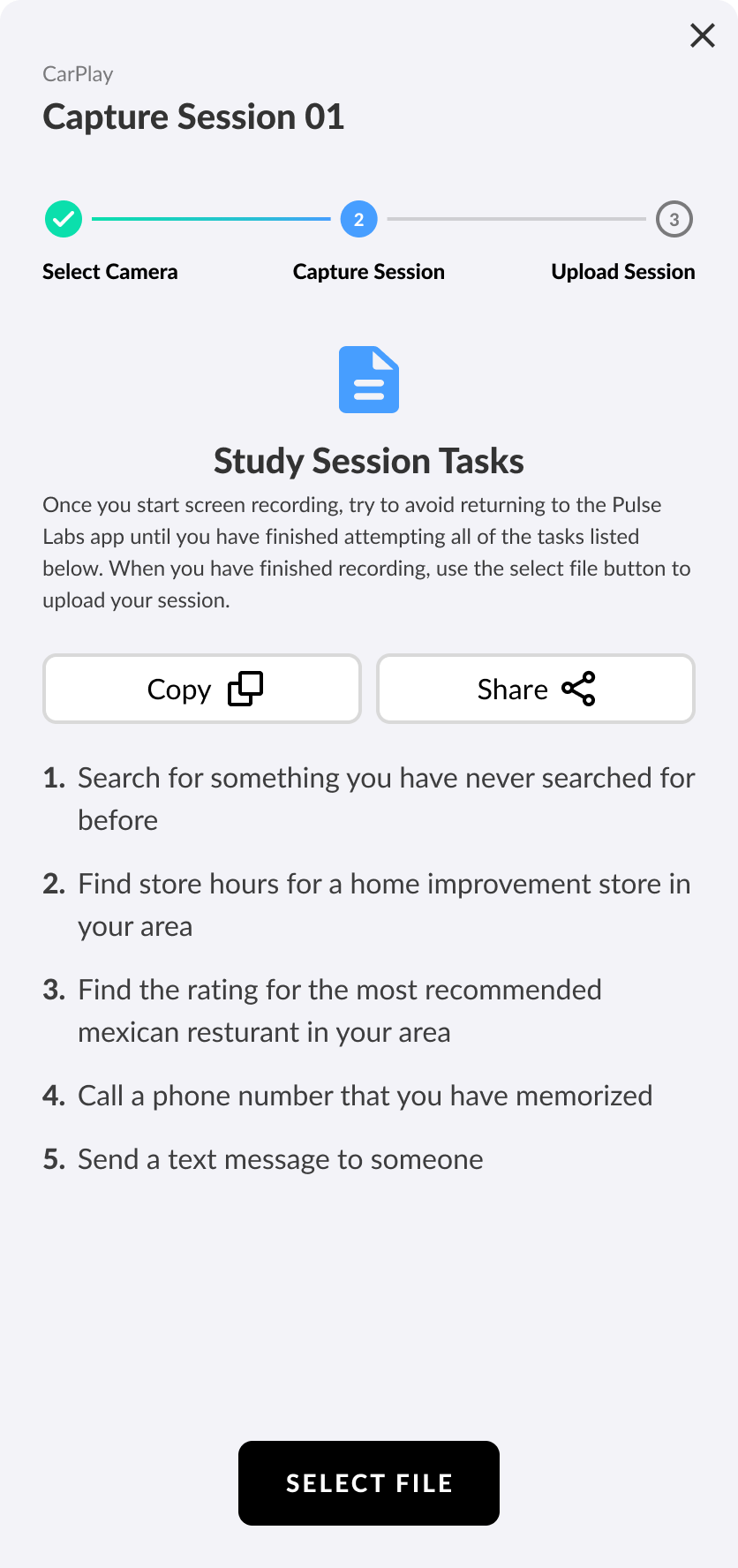
Original directions
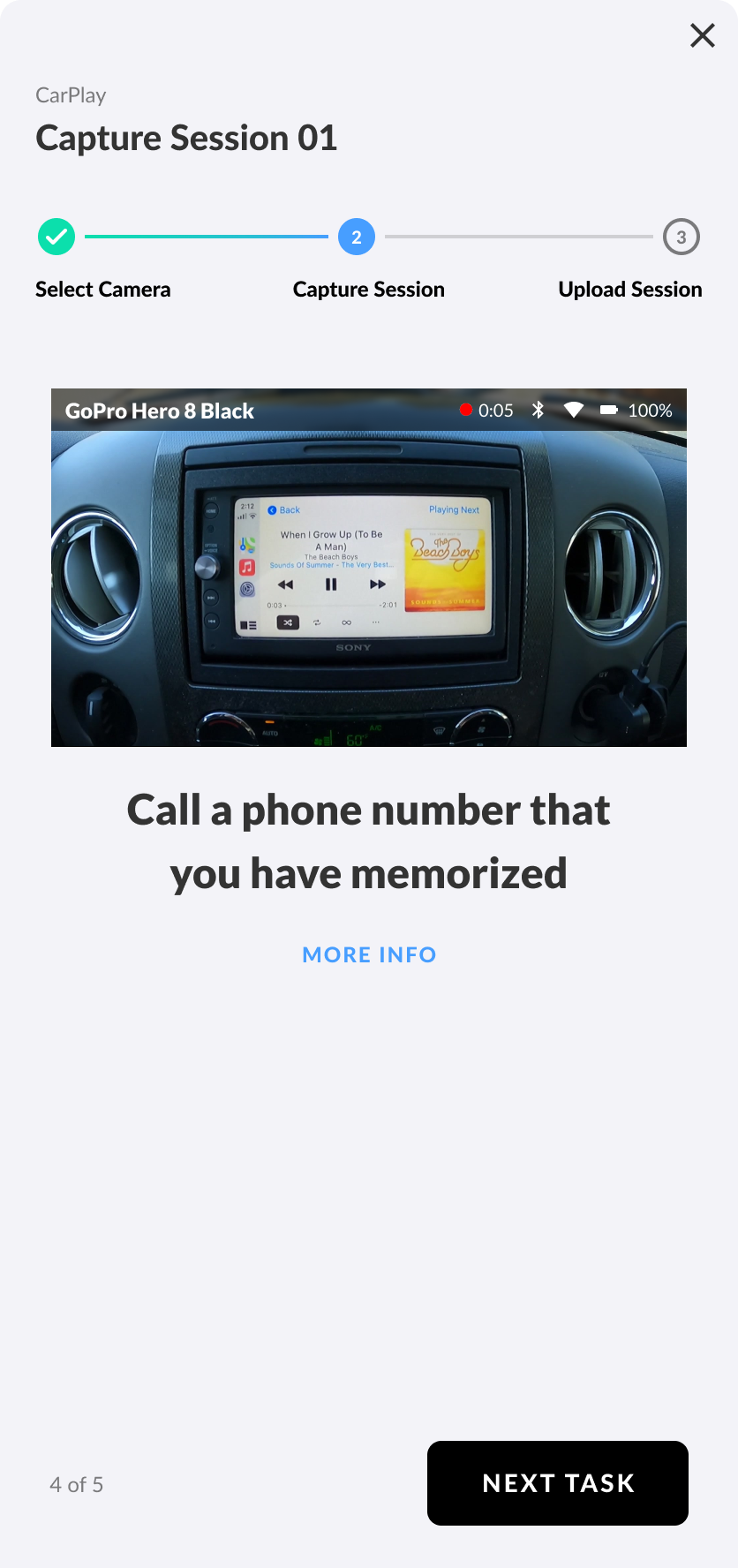
Original task
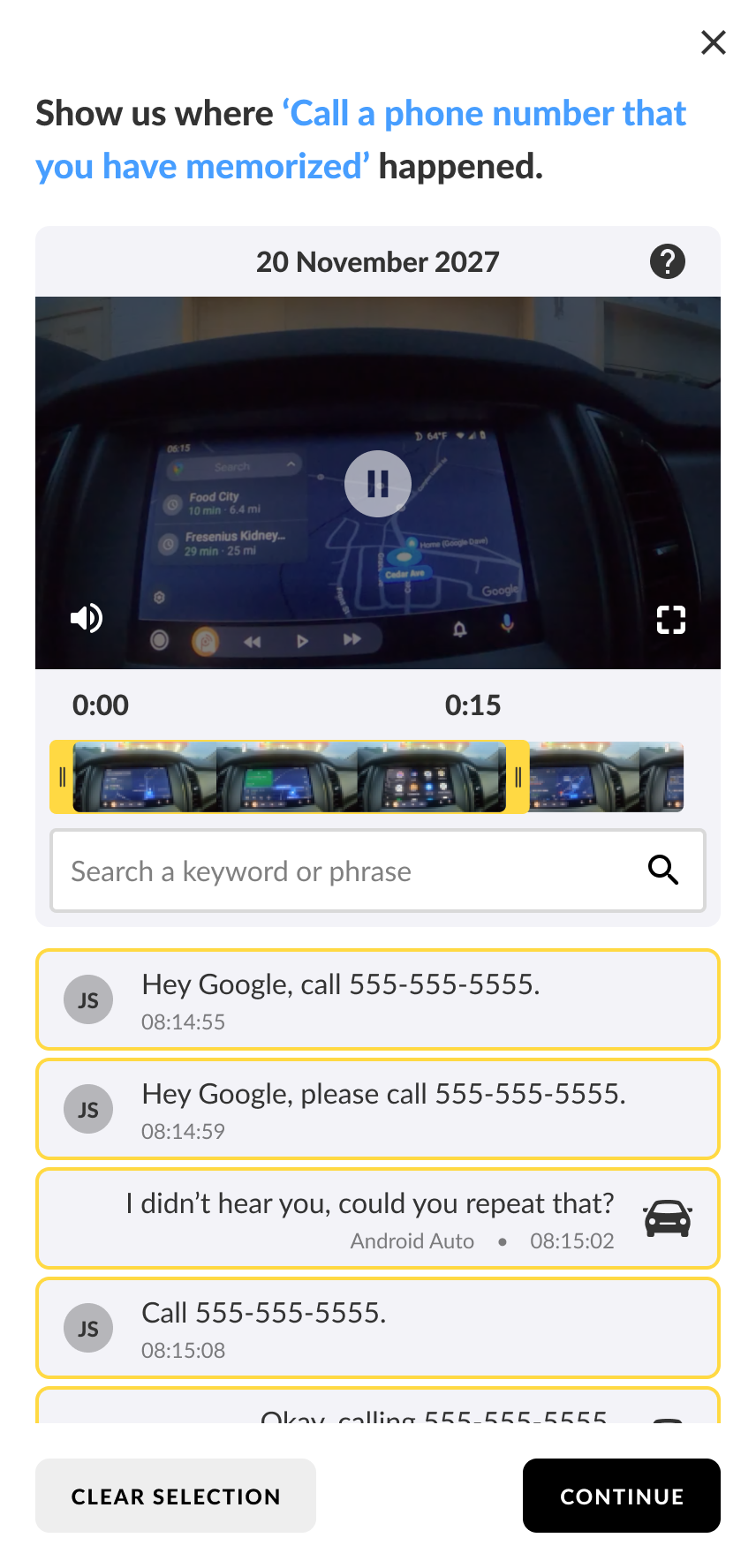
Manually set timestamps
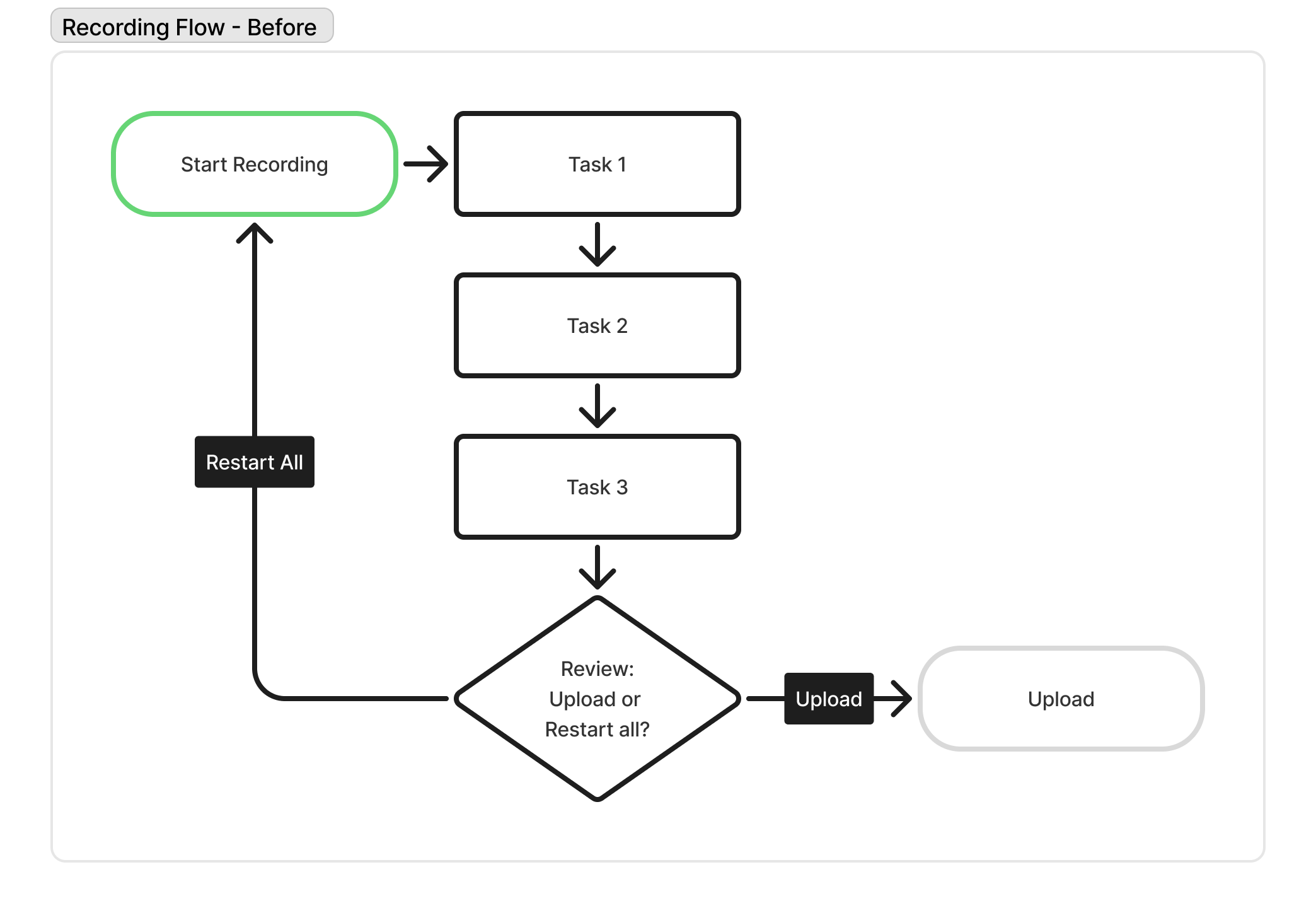
Simplified recording flowchart showing how participants can't go back to a previous task. After recording, participants must upload all of them or restart all of them.
Approach
I pitched engineering on a new way to save videos and worked with researchers on the features they needed. Four ideas shaped the design:
▪
Fix the foundation.
Record each task as its own file, so timestamps are automatic and each task can be redone by itself.
▪
Keep everything in the app.
Show task labels and context prompts while recording, so no third-party apps are needed.
▪
Catch mistakes before upload.
Add a detailed review screen after all tasks as a safeguard against faulty data and costly revision.
▪
Guide users.
Add a requirements screen, camera setup help, and a task help button to cut down on support tickets.
Process
Systems thinking
One big video was why tasks couldn't be redone or timestamped automatically, and one small video per task fixed many UX issues at once.
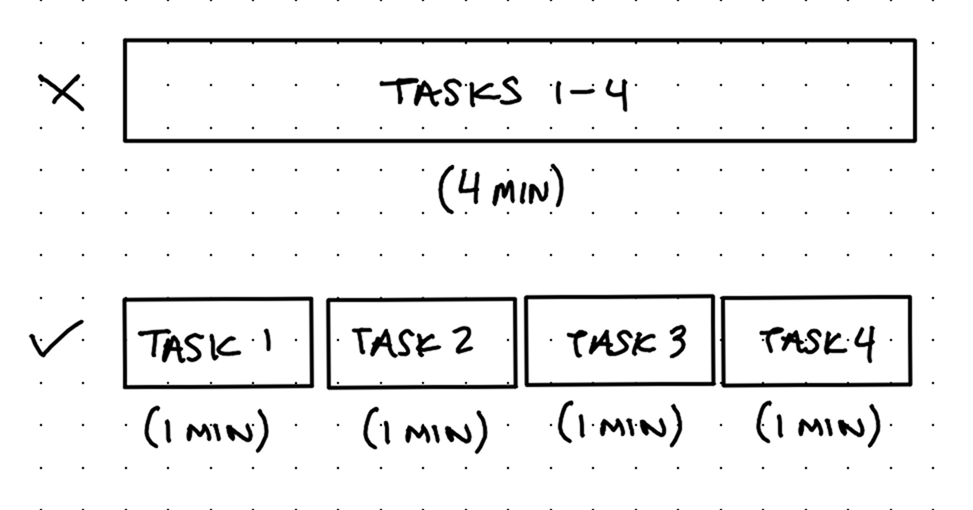
It was a bigger change than a typical UI refresh, and getting buy-in took time, but it had to be done.
Collaborative improvements
Researchers wanted a “modality” label showing how a task should be done, like “with one tap” or “while parked,” without cramming it into the task text.
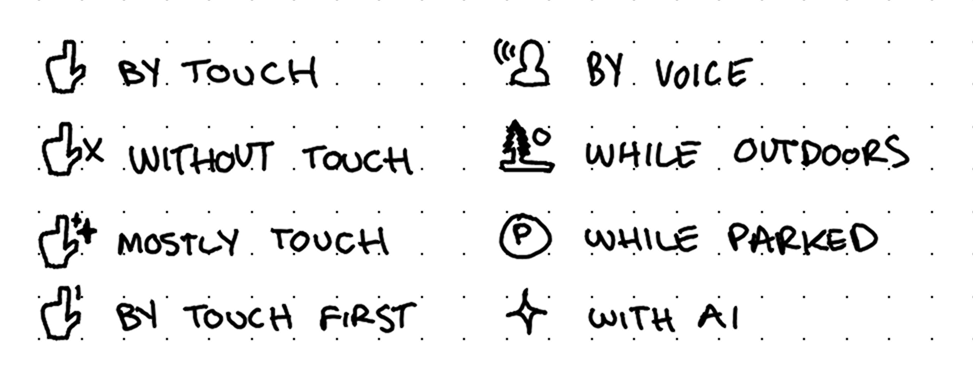
Our Head of Design wanted a “context prompt” for extra directions before certain tasks.
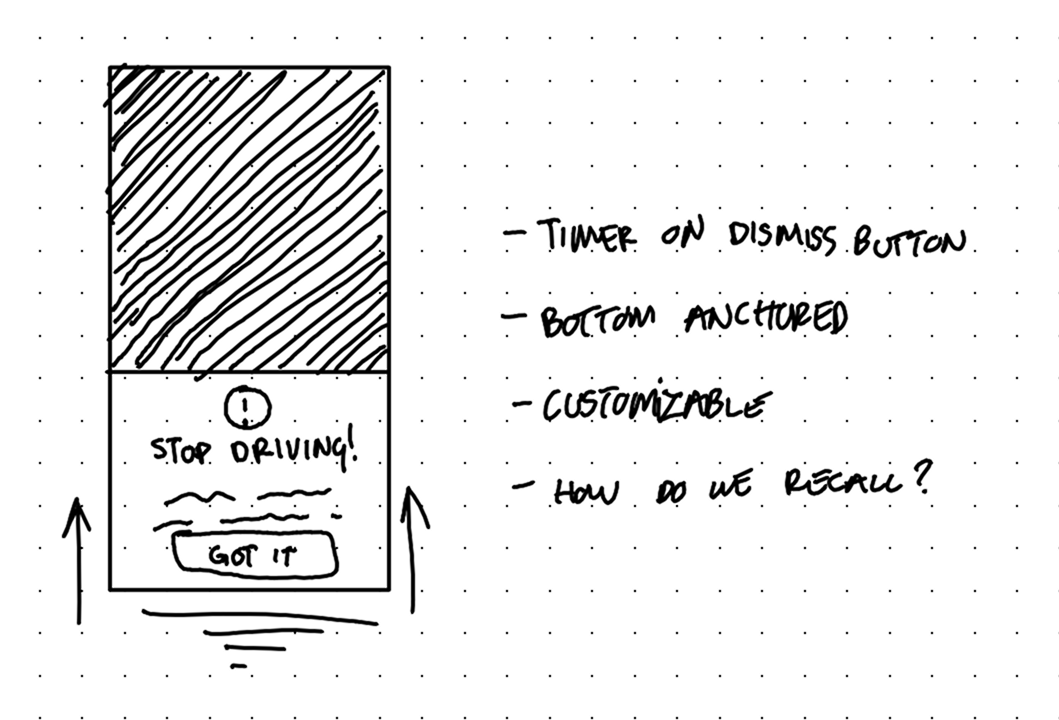
I also imagined what would make recording feel less like a chore for users. That led to four more ideas of my own:
Review methodology
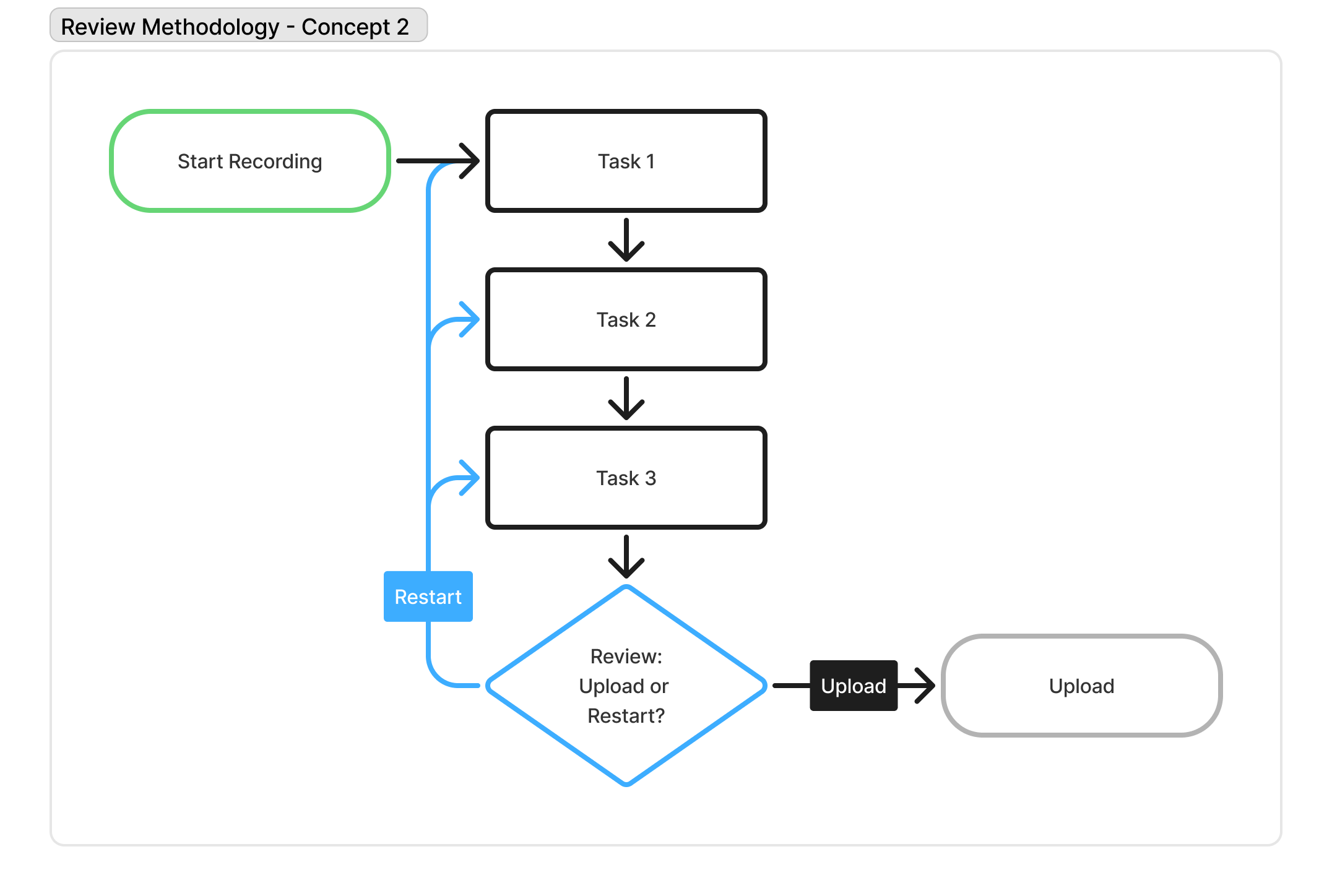
At first I assumed reviewing after every task would work best, but it interrupted people constantly.
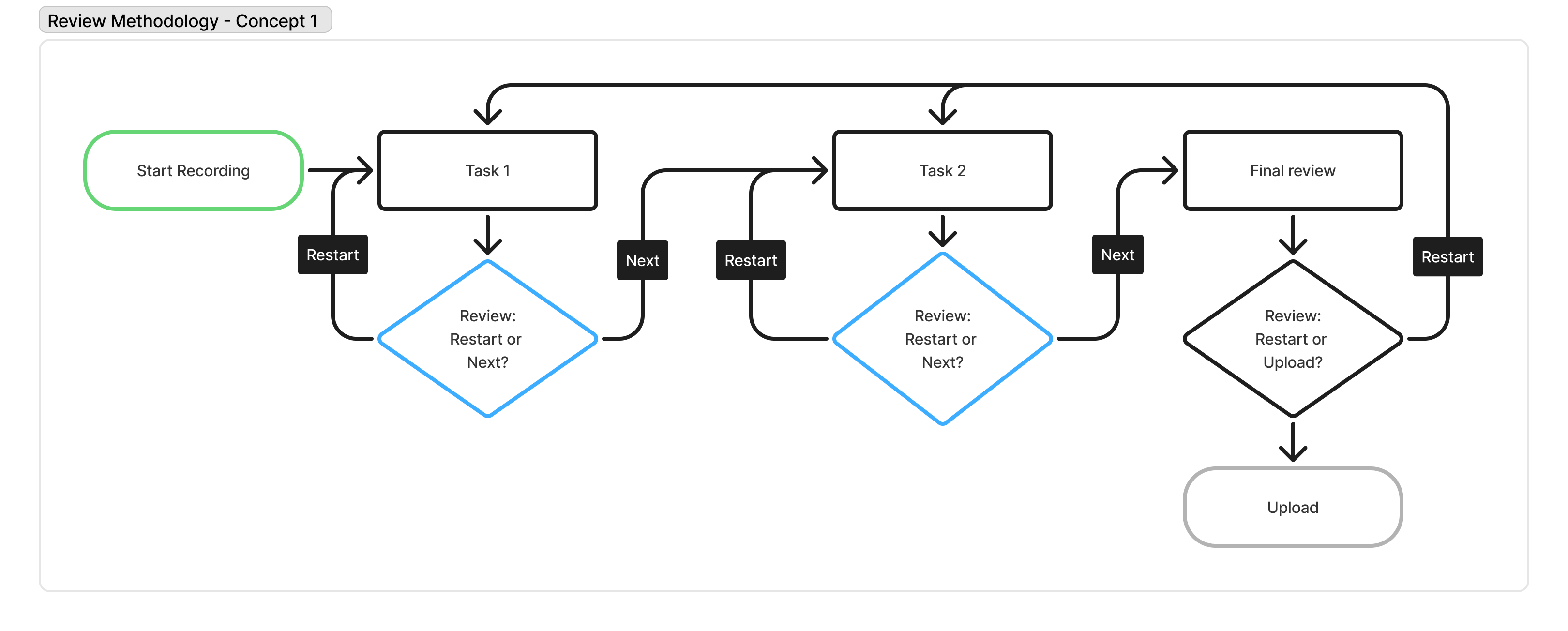
Blue decision diamonds show a review after every task, but it interrupts the flow between tasks too much
I landed on one final review screen after all tasks, right before uploading, so participants can fix a mistake without losing focus in the middle of recording.
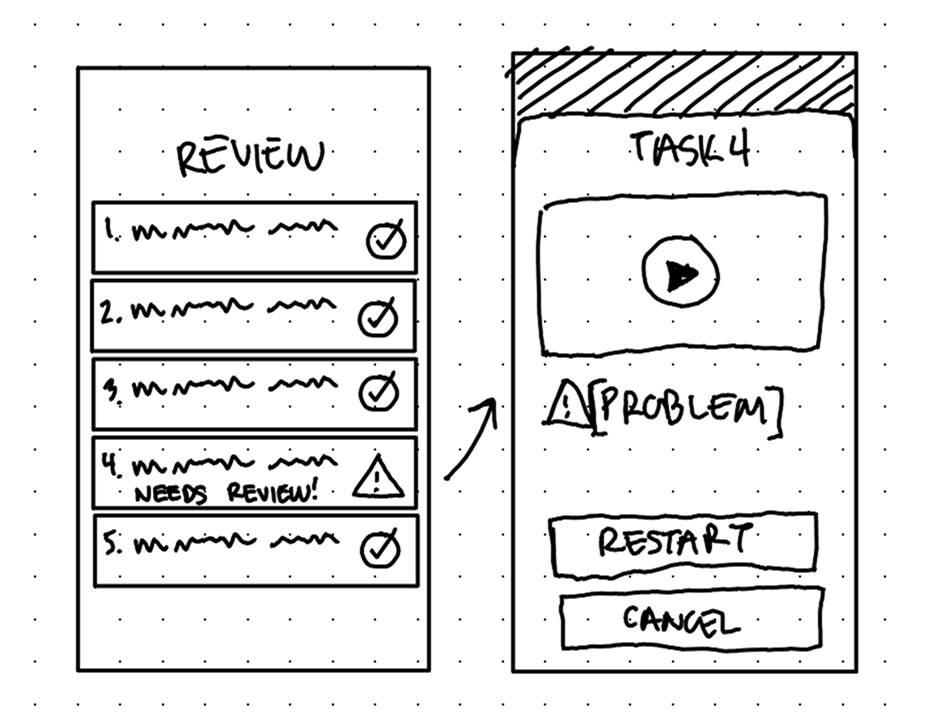
Quick wireframe concept for reviewing, selecting, and restarting a specific task recording
Solution
New
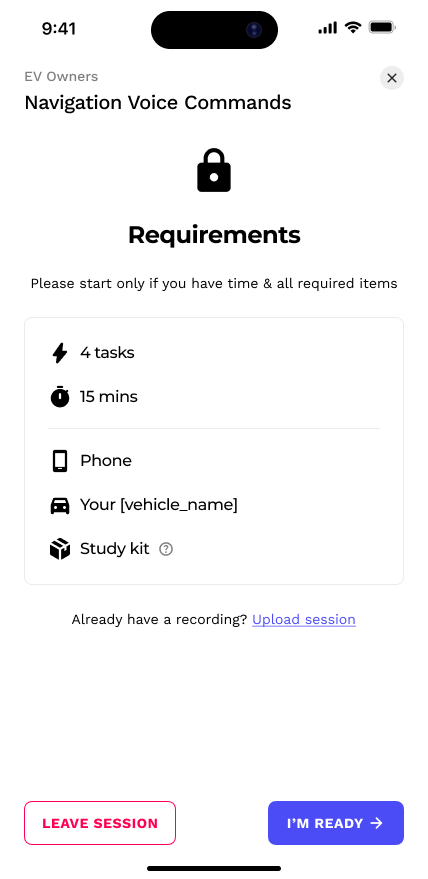
Requirements screen
Opens every session so participants know what to expect and are ready to start. It’s the first defense against rushed, unsafe, or low-quality data.
New
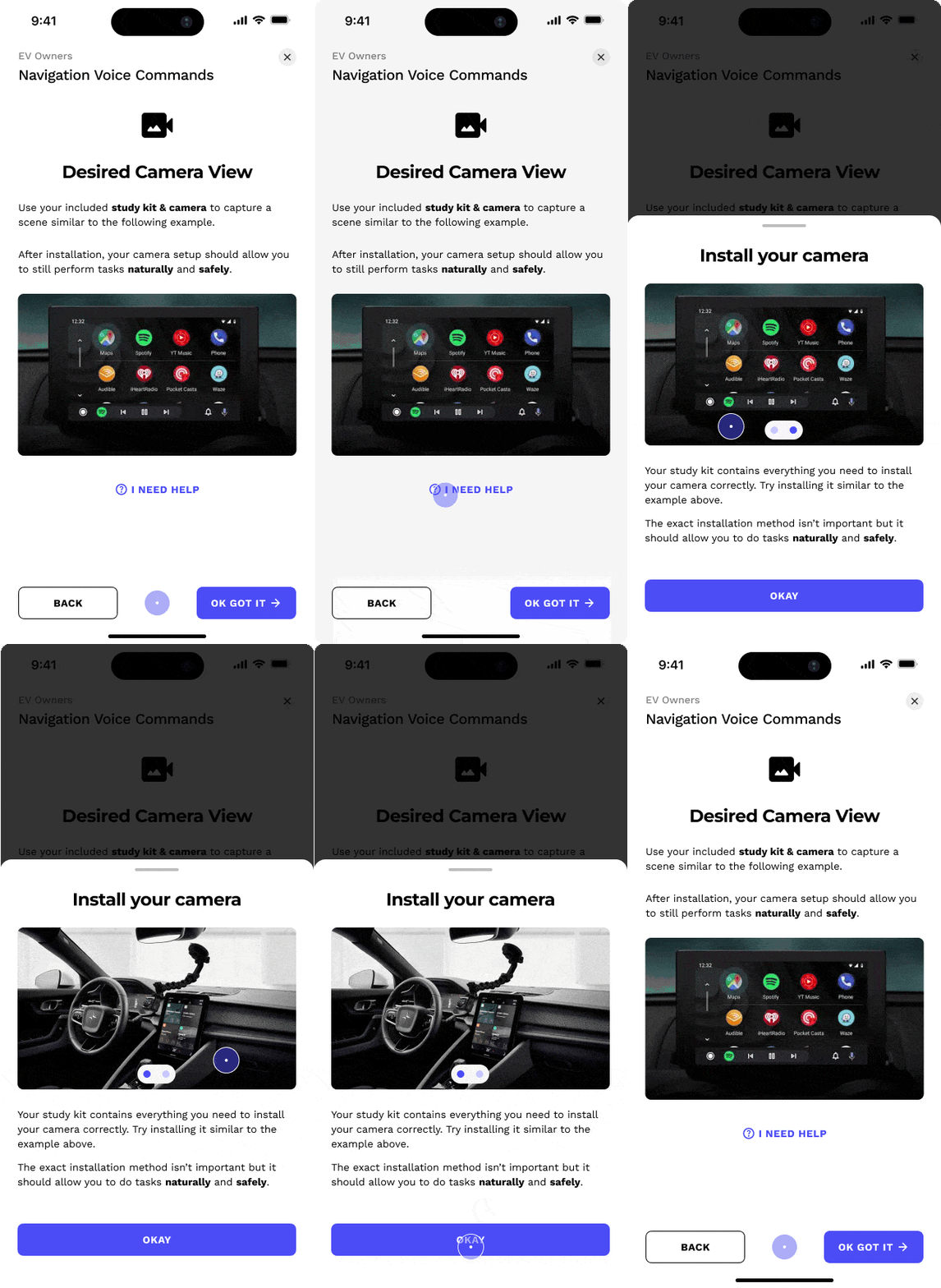
Camera setup help
Photos guide safe and proper setup, giving researchers a clear view of the task and cutting frustration, support tickets, and dropouts.
New
Modality
Sits above the task so participants see the modality first and know how to approach the task, which keeps data consistent with what researchers intended.
.gif)
New
Context prompts
Pop-ups before a task give more detailed directions beyond the task itself, like switching apps or time limits, and can be reopened anytime. A 3-second timer on the confirm button stops people from skimming past, without feeling like a barrier.
.gif)
New
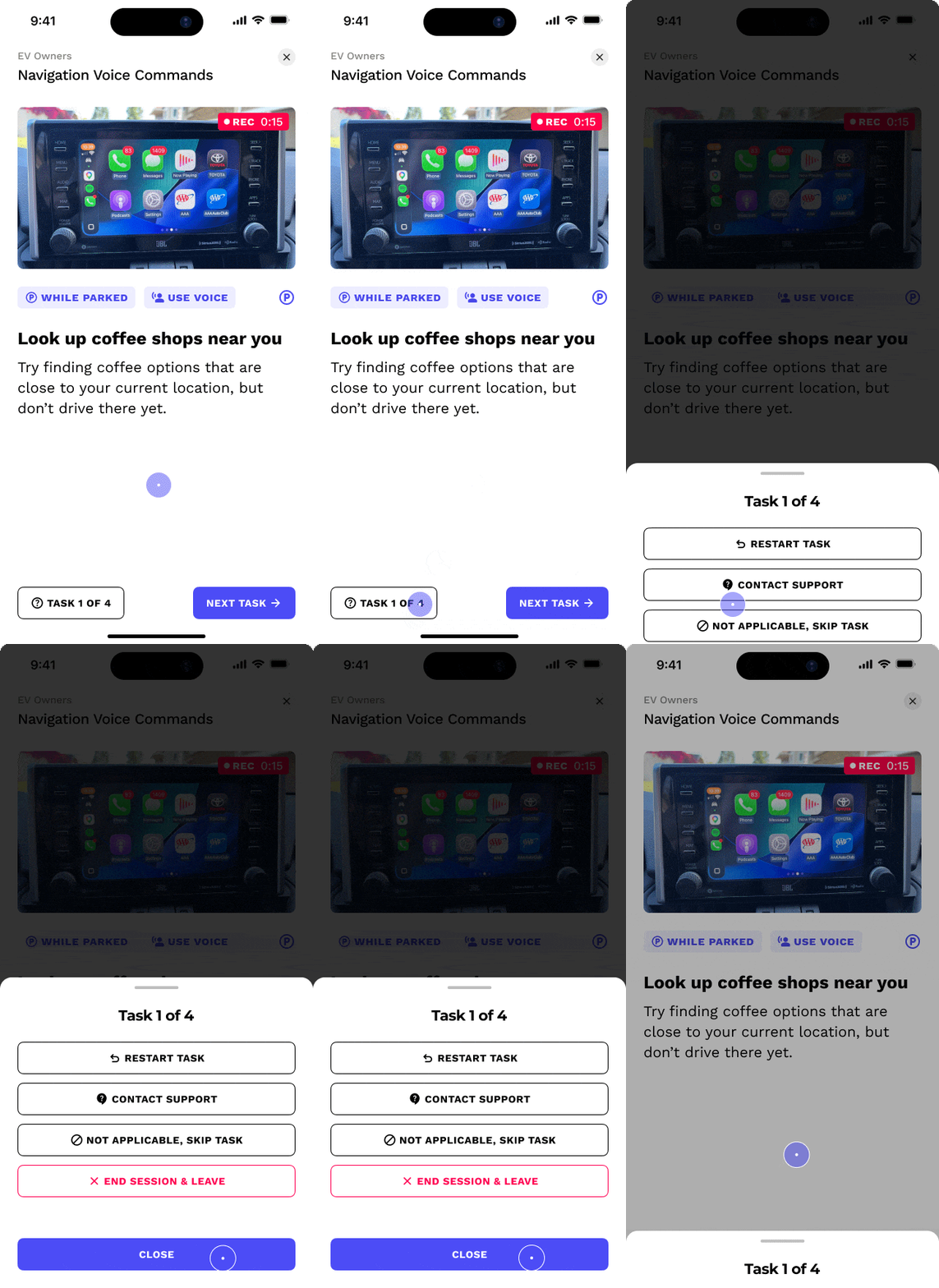
Task help
One button tracks progress and lets participants restart a task, skip one that doesn’t apply, or contact support, which reduces frustration and dropouts.
Updated
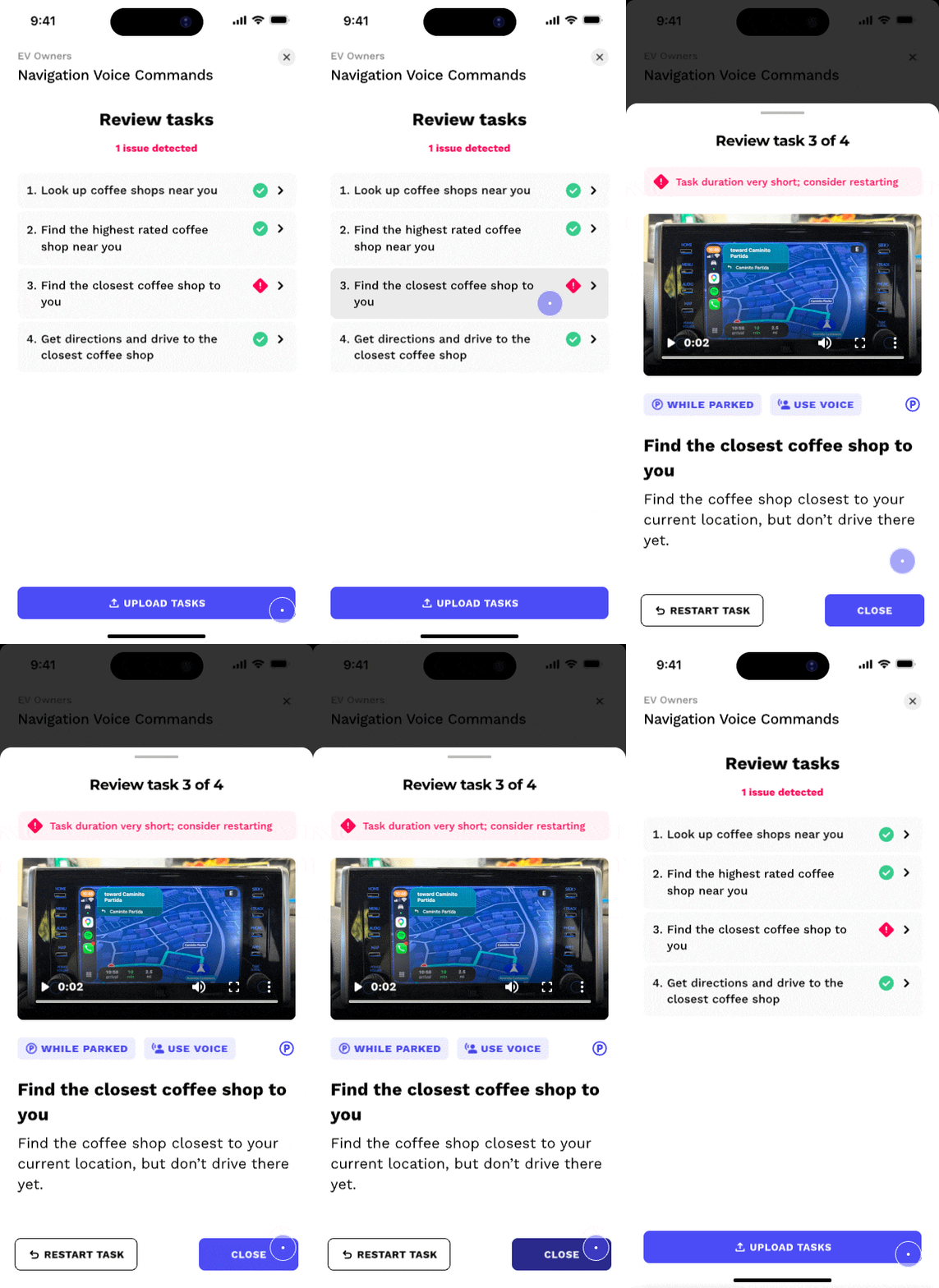
Review
Flags tasks that are too short, too long, or corrupted and lets participants redo only those, so bad data is caught before upload.
New
Researcher customization tools
Researchers got their own tools to build custom modalities and prompts for their studies.
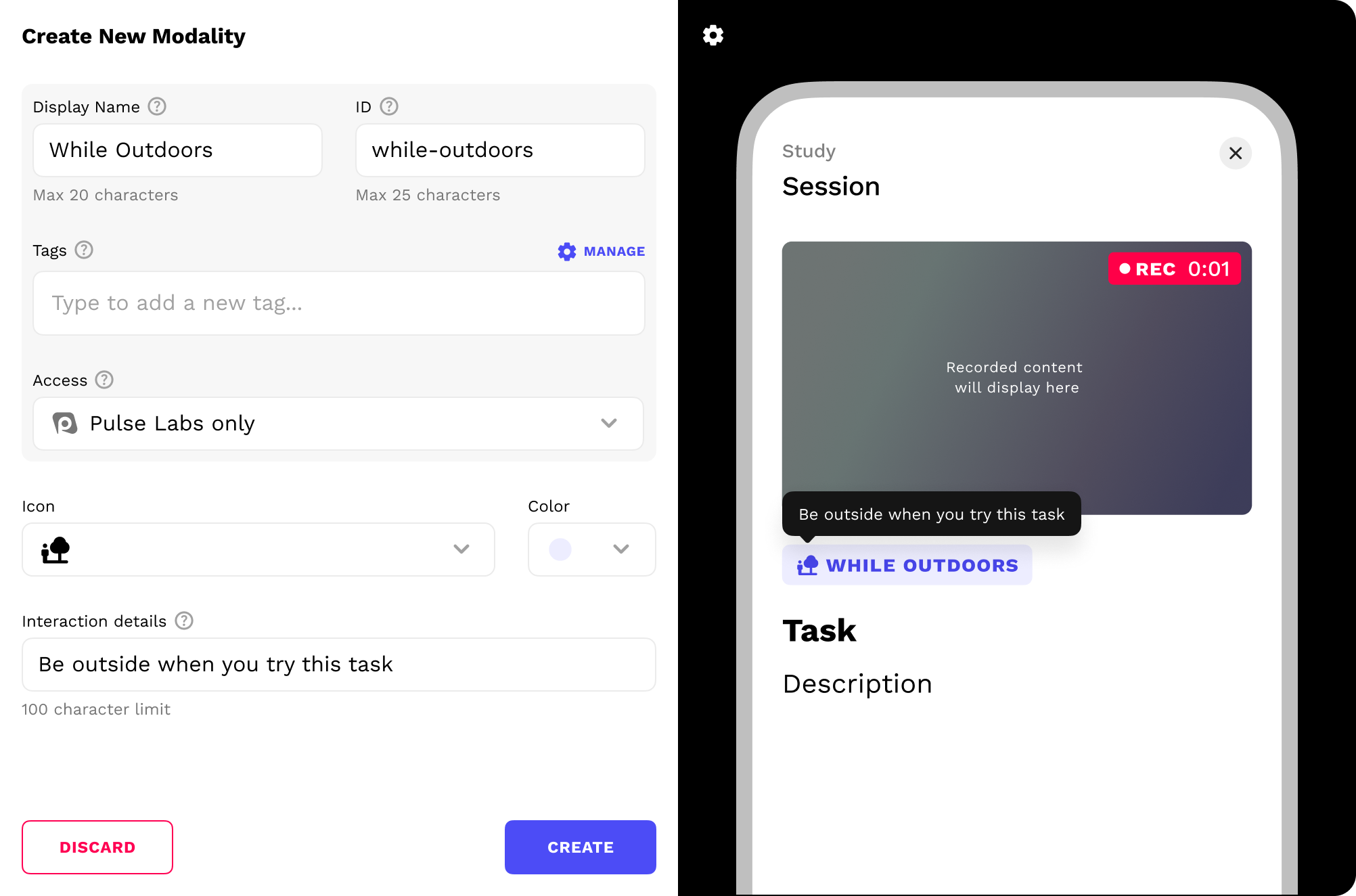
Modality creation and customization tool

Context prompt creation and customization tool
Note: Another designer had recently refreshed the design system assets, so these newer designs look different.
Impact
Our researchers and operations team reported:
+
▪
Fewer tickets, fewer dropouts.
Redoing a single task no longer means restarting, so far fewer participants hit recording problems and quit mid-study.
+
▪
Hundreds of support hours saved.
Far fewer recording tickets freed up hundreds of hours of customer support time.
+
▪
Rare rejected data, happier clients.
Recording mistakes now rarely ruin a session’s data, so researchers get more usable data and are more satisfied.
Next Steps...
Here's what I'd do differently in hindsight:
A/B testing: Test the single review screen against reviewing after every task.
Wasted recording time: Find a way to hide useless footage from the final recording, like when a participant is using the app between tasks.
Contact
Thank you for viewing my work. Schedule a call to go deeper on my workflow and design decisions.