AI-Assisted Visual Logic Builder
Creating the most flexible, intuitive filters imaginable
(Feb 2026 · 4 minute read)
Summary
Industry
Technology
UX Research
Responsibilities
UI design
Interactive prototyping
Engineering handoff
Timeline
Q1 2025
Designed a prototype for Pulse Labs' advanced "Audience" builder. It merges an AI assistant with a manual logic builder to intuitively and precisely filter their large pool of verified participants for naturalistic research studies.
Highlight: Leadership wanted an AI-only tool, but I knew that wouldn't be best for the user experience. So I prototyped an alternative showing how manual editing not only compliments the AI features, but makes the tool more precise and intuitive. It got approved. Taking ownership of the UX and finding smart compromises is why I love product design.
Skip to final design

Context
Pulse Labs’ main SaaS product connects any product with real users to draw out naturalistic testing insights. Industry leaders like Google, Amazon, and Rivian invested millions of dollars on our software to strategically guide product development.
One of our main value propositions was offering a large pool of eager, verified participants to help our clients draw out valuable, user-centric product insights. While this pool of participants was high quality, it was also diverse, so we needed a way to filter them down for studies—even the best testing data is useless if the wrong participants are involved, so it was vital that our filters are powerful and intuitive.
Note: This feature takes place some time in the initial creation phase of the study. Before this project, Pulse Labs employees would create studies on behalf of users because the study creation tools were too complicated.
Problem
The CEO had a vision: “Make filtering for participants as easy as writing a prompt (AI)”. That’s fine; when generative AI works well, it’s magical. But AI is not always reliable, especially on complex, grammatically-ambiguous prompts.
And the requirements for study participants can get pretty specific, like:
“I need 100 to 200 Americans or Canadians ages 18 to 60 who have a college degree, who own Tesla vehicles 2022 and newer, half male, half female”.
We needed a way to make filtering participants as simple as possible without sacrificing precision or control.
Approach
My team leader and I both agreed that having manual control over the filtering was mandatory to ensure filtering precision, so relying only on AI was out of the question. The CEO agreed, but preferred we initially lead users into an AI-assisted creation flow instead of manual creation.
My team leader also added a few more requirements for the feature:
Handle abstract user prompts that do not fit into the pre-determined demographic parameters.
Alert users if their filters fetch less participants than required, probably because they are too specific.
I planned out the feature and it made sense to separate the UI into two main sections: (1) a section to prompt the AI assistant and (2) a section to view/edit filters manually, all in one screen. Users can bounce around both sections (or stay in one) depending on their needs or preferences.
Only showing one section at a time could feel prohibitive and inflexible.
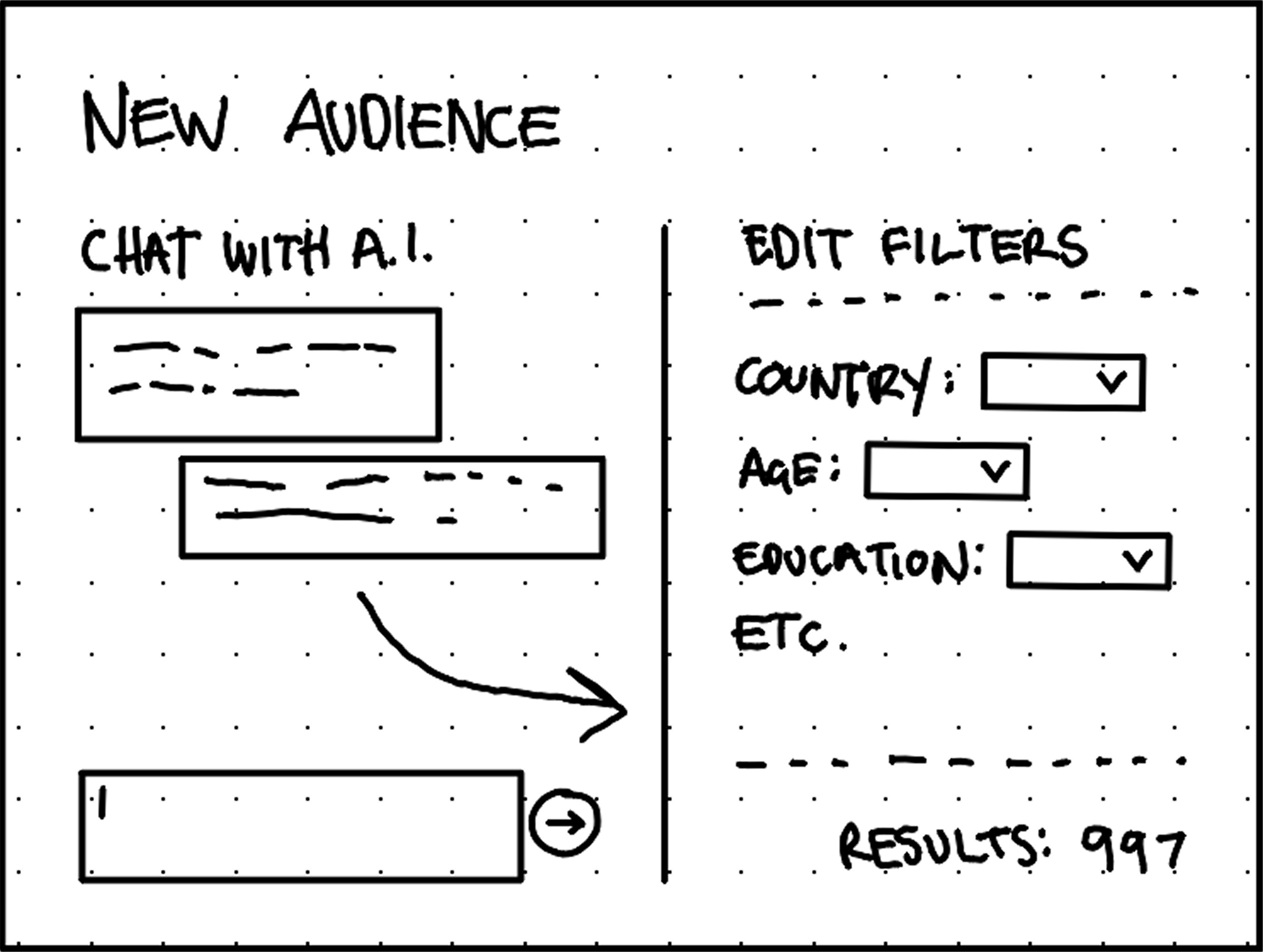
Quick wireframe concept shows filters as independent options and the AI assistant making one-way changes to filters. Spoiler: That would change.
Solution
Considering all requirements, I felt strongly that a visual logic builder was ideal for these filters because its logical operators allowed for more precision and flexibility than typical dropdown filters. It would also help users see the status of their filters at all times.
I designed menus to reflect our demographic parameters, quantitative equalities/inequalities, and mathematical operators.
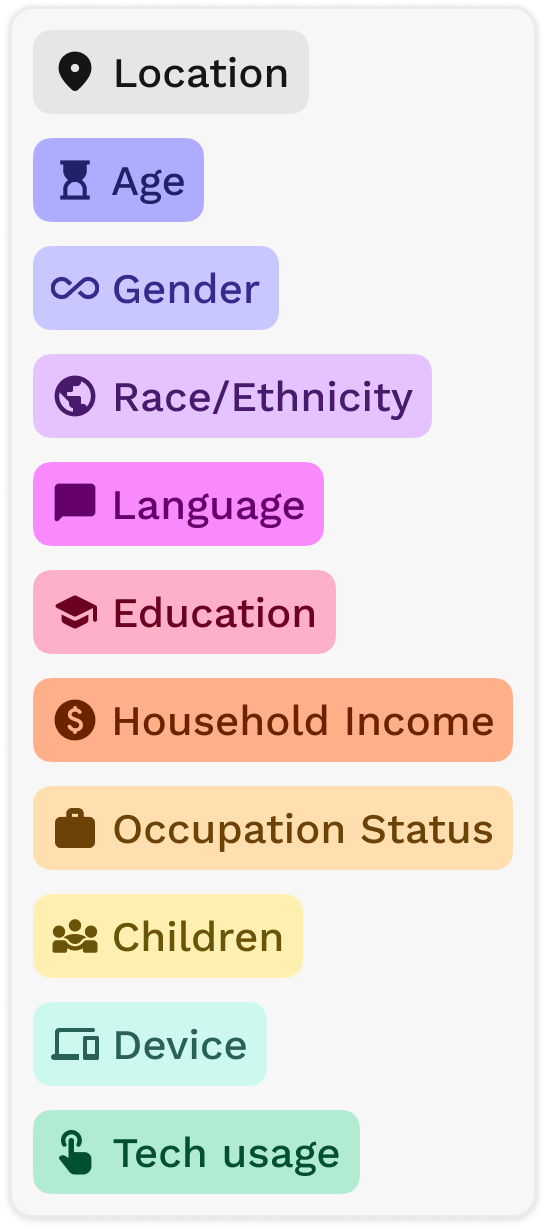
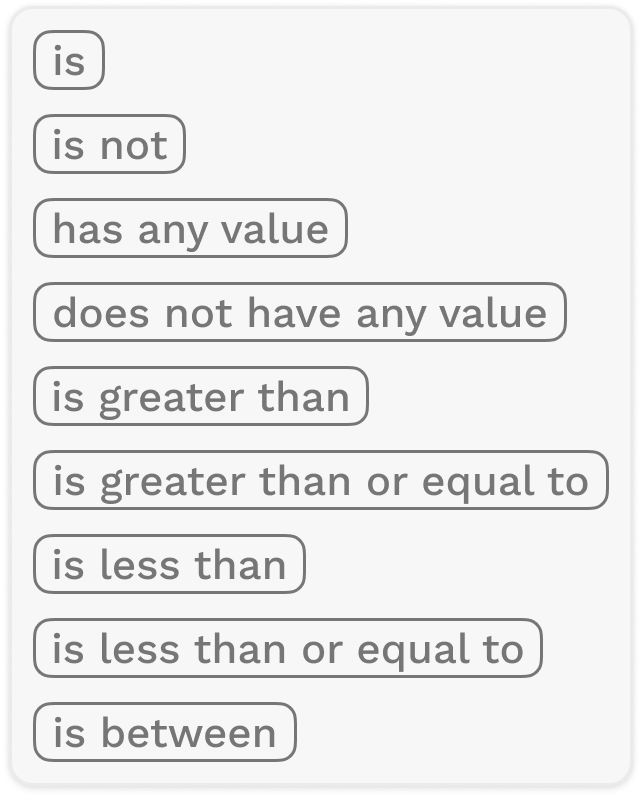
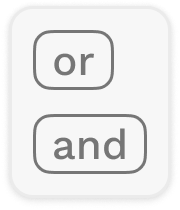
These dropdown components combine to create logical statements such as:

I designed the logical parameters to read like a casual, conversational sentence to help users learn how to program the logic, as opposed to a formal programming language.
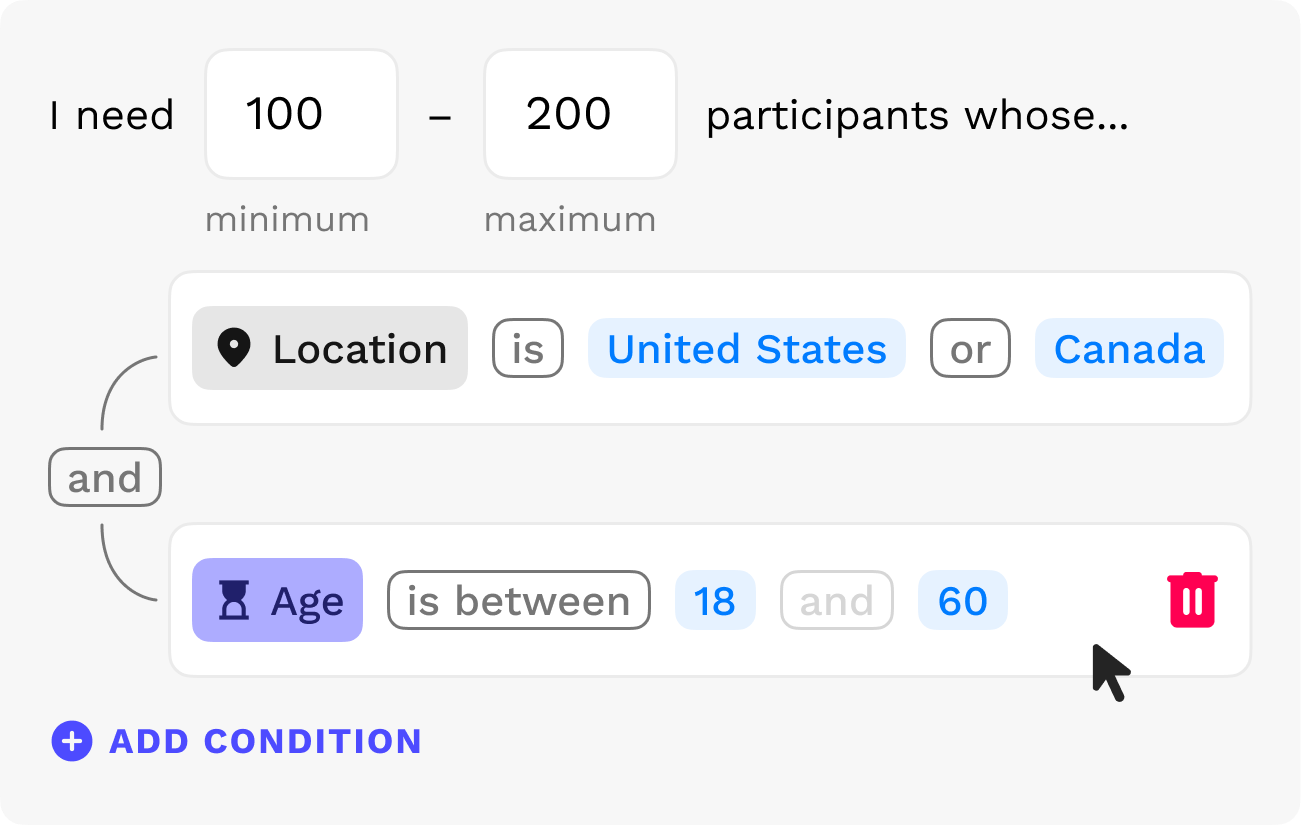
Above essentially reads as "I need 100 to 200 participants who live in the United States or Canada aged 18 to 60"
The final layout is split into two distinct, vertical sections (vertical layout accommodates chat messages and stacked filters better than horizontally).
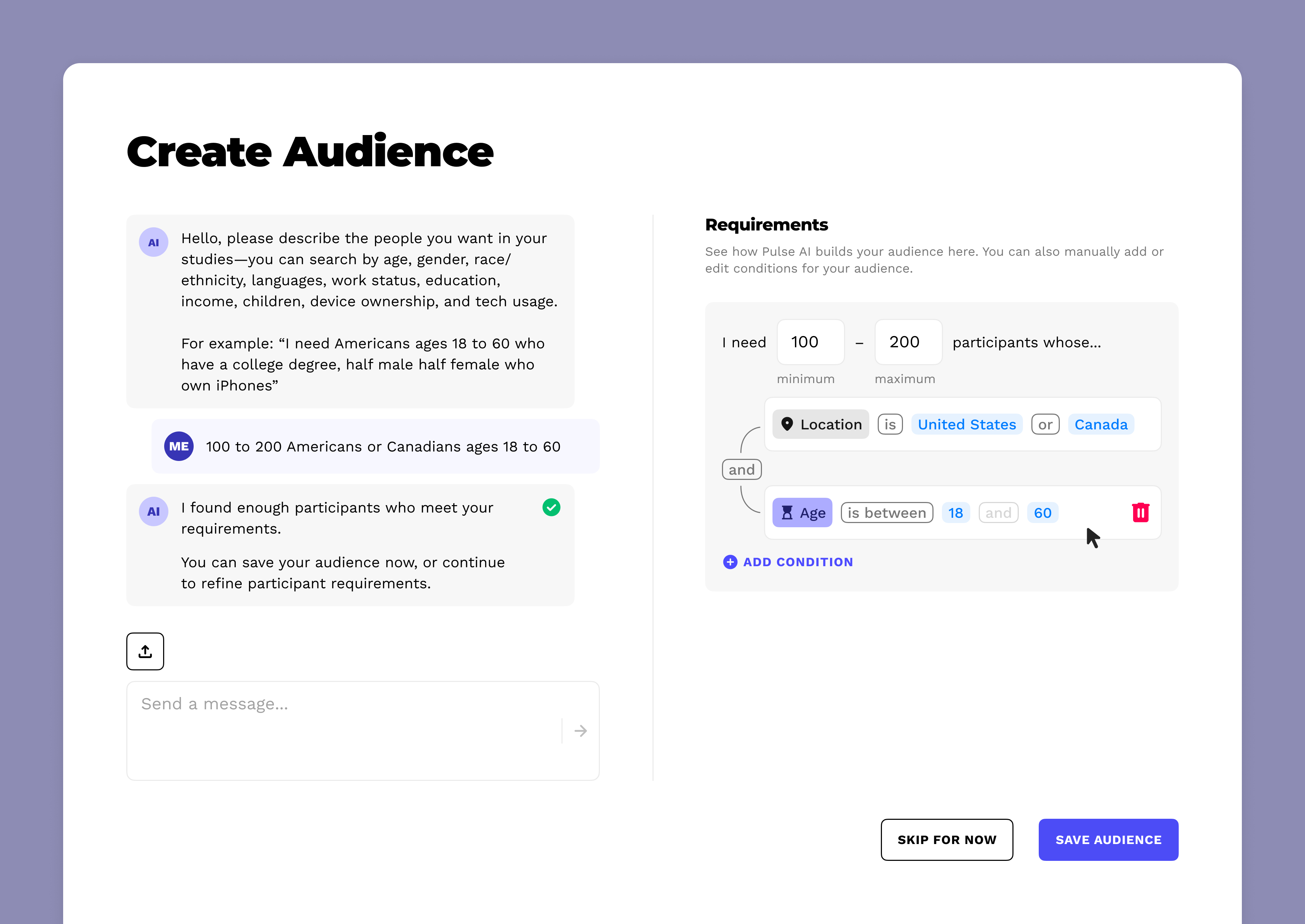
But the two sections are dependent and reflect changes made to each other in real time.
For example, when an AI prompt is entered, the AI builds the logic visually in real-time with preset parameters and operators. It also tells the user if the prompt fetches enough participants (or if there's an issue with the logic).
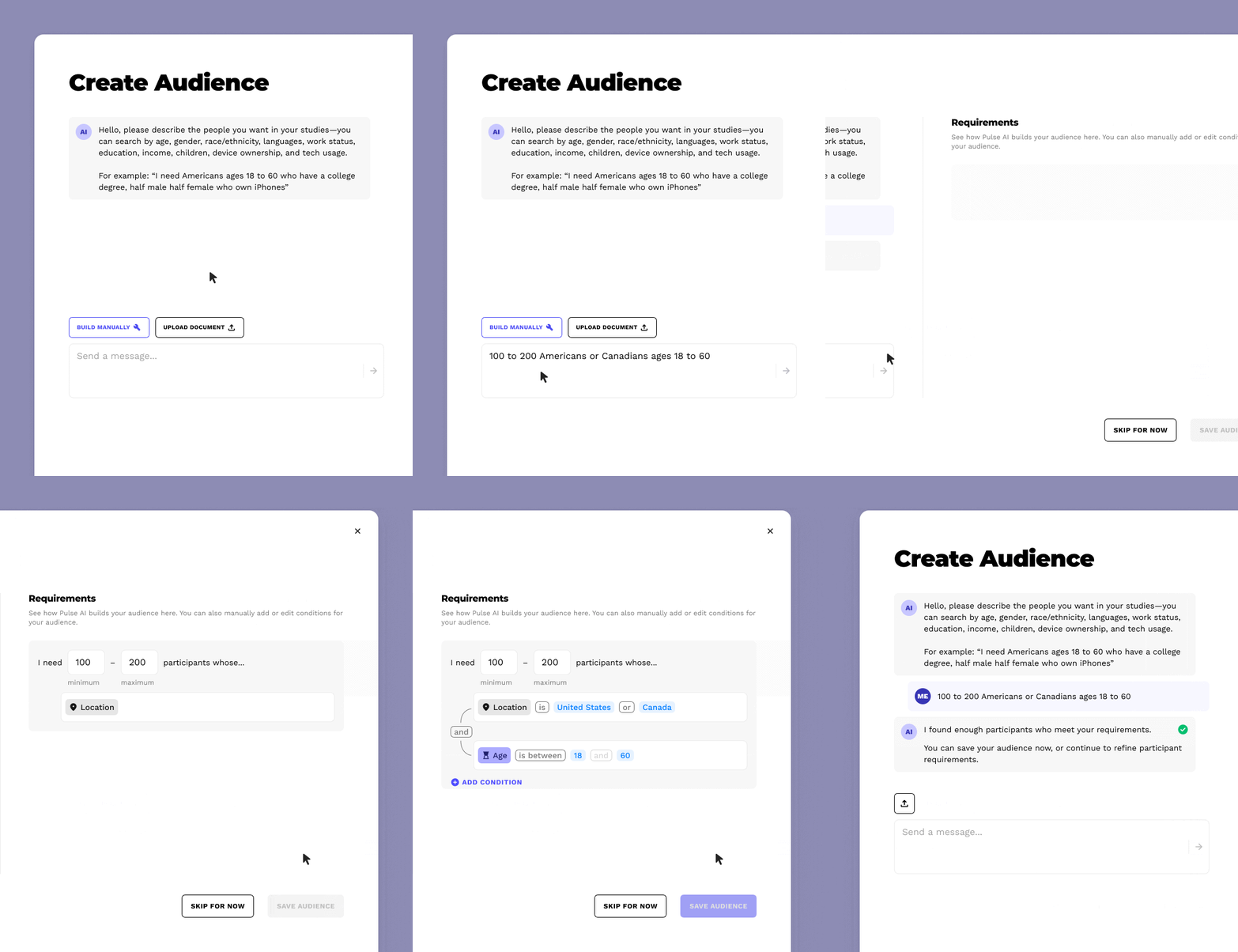
Conversely, when making a manual change to the logic, the AI will confirm it in a message and communicate any issues to the user.
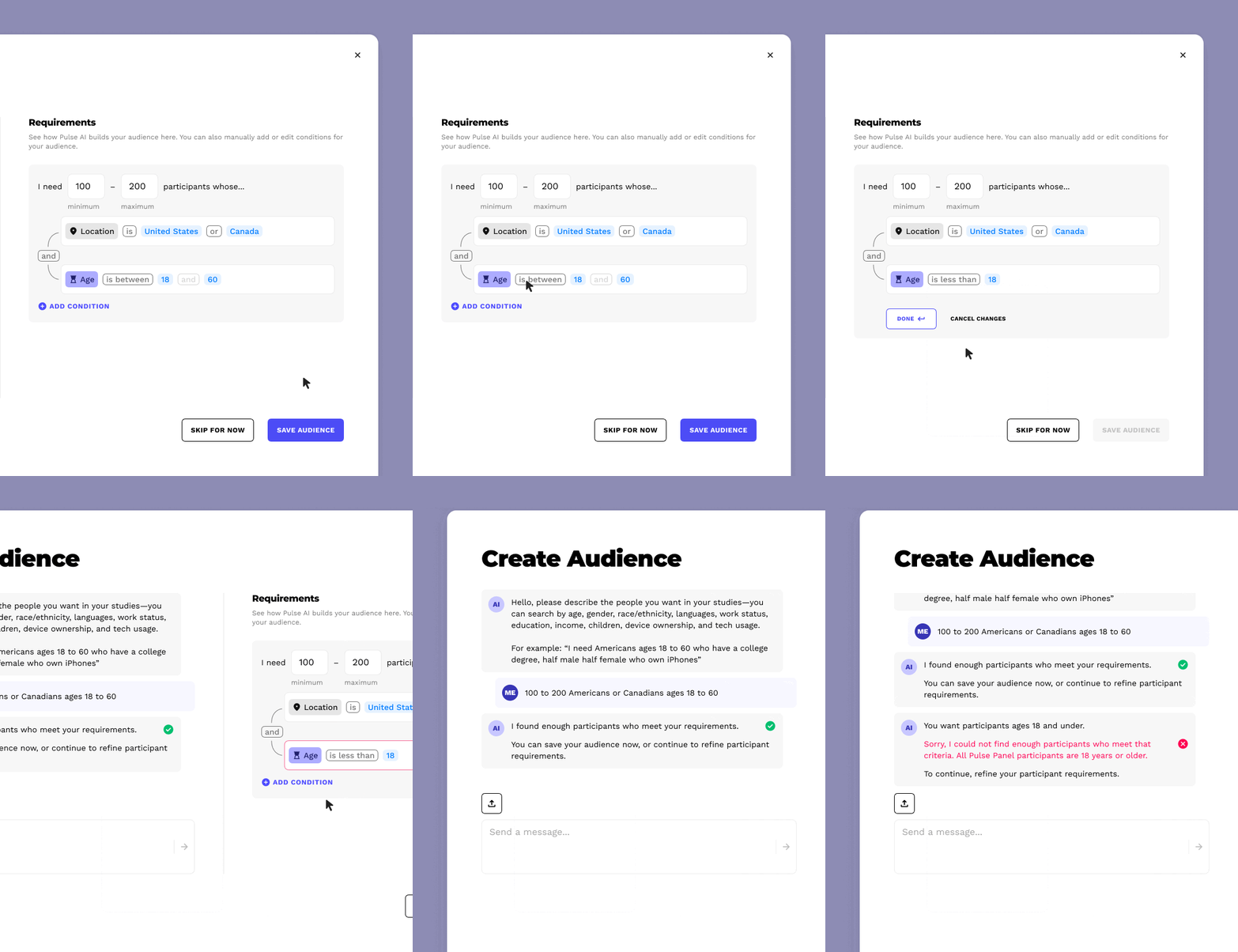
These reciprocal interactions give the user visibility of the system status and continual feedback no matter how they choose to build their filter logic.
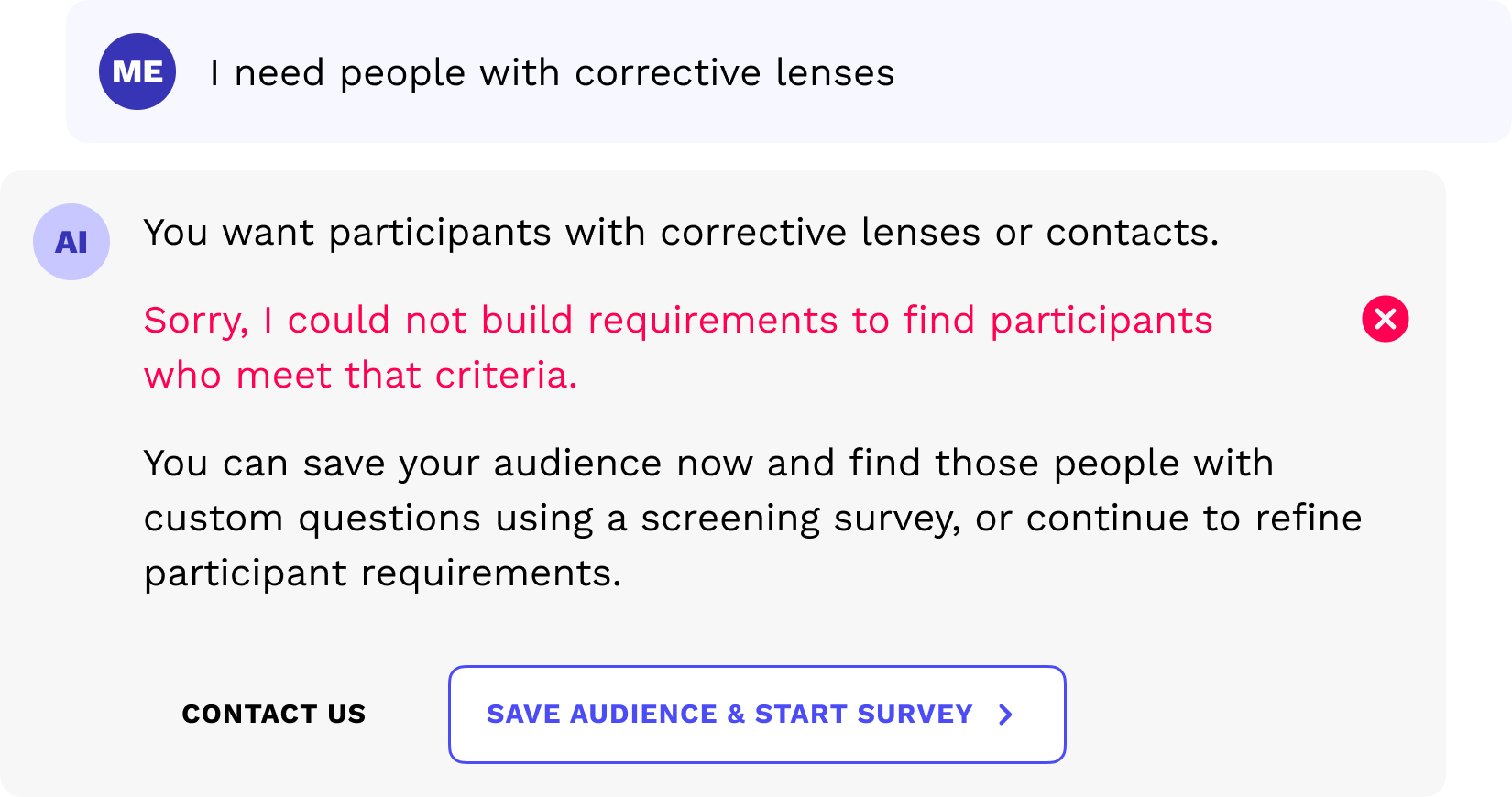
Note: If the prompt cannot be described by our predetermined parameters (too abstract), the AI assistant will suggest an entry point to a screening survey.
Impact
The product I worked on at Pulse Labs wasn't consumer technology so many quantitative UX success metrics were not available (however, our software enabled researchers to gather those UX metrics).
The exact effect of our software remains confidential to the clients so my success is evidenced in their continual reliance on the features I designed that help drive million-dollar product decisions.
Product impact: I was unable to see this feature built, validated, and benefit users before I was affected by a wave of layoffs at Pulse Labs, so the true impact is unknown to me. But since their inception in 2017, Pulse Labs employees have had to manually create studies for clients because study creation tools are underdeveloped and unfriendly to users. I am confident that this feature, if even partially implemented, would elevate Pulse Labs closer to a true, self-service SaaS product.
Personal impact: Through this project I learned how to balance business decisions with sound UX principles, striking a balance where everyone wins: the feature leads with AI in a meaningful way but has precise filtering with the logic editor. I am pleased with where it landed; always a joy to design something that is both powerful and friendly to users.
Back to all work

© 2026 Alexander Kempf
(Call me Alex)